
The Vibe Uncut
A short podcast that untangles one change to Google Ads at a time, for people who run a small business. Jack asks the questions business owners ask. Greta answers them plainly, with the date, the Google source and what to check in your own account. Every fact is checked against Google’s own help pages, and each episode has a full transcript.
Jack and Greta are synthetic voices; the scripts are written and checked by the team.
What the machine does
Five episodes on what Google’s automated campaigns now do with your keywords, your adverts and your budget. About seven minutes each.
-
Episode 1 · 7 min 20 s
Where did my keywords go?
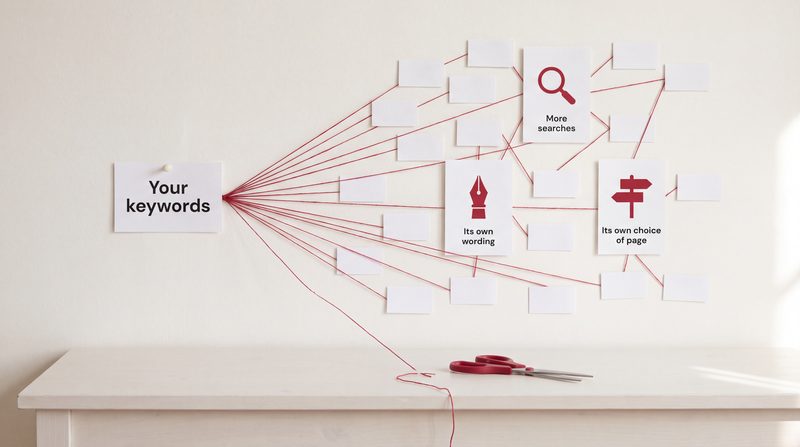
AI Max is a setting on Google Search campaigns that shows your advert for searches beyond your keywords, can write the advert text and can choose the landing page. What each part does, what you still control, and how to see what it did.
Short film: AI Max for Search: a wider net, so check the catch · Read: What is AI Max for Search, and should a small business switch it on?
Transcript
Jack This is The Vibe Uncut. I'm Jack.
Greta And I'm Greta. Each episode, we take one thing about Google Ads that has changed, and untangle it.
Jack Today's comes up a lot. Someone sets up a Search campaign, chooses their keywords carefully, and then finds their advert showing for searches they never chose. So: where did my keywords go?
Greta They haven't gone anywhere. But on more and more campaigns, they're no longer the whole story. The reason is usually a setting called AI Max for Search.
Jack Start with the basics. What is AI Max?
Greta It's a setting on a Search campaign. Not a separate type of campaign. A switch inside the Search campaign you already have. It has three features, and each one can be switched off separately.
Jack Go on.
Greta The first is search term matching. Your advert can show for searches related to your keywords, your adverts and your website, not only the keywords you typed in. Google says it learns from your current keywords, your adverts and your web pages to decide which other searches are relevant. Some of those searches won't contain any of your keywords at all.
Jack So my keyword list becomes a starting point.
Greta That's a fair way to put it.
Jack And the second thing?
Greta Text customisation. Google writes headlines and descriptions to suit each search, using your website and your existing adverts. So the advert someone sees may not be word for word what you wrote.
Jack That's the one that makes people nervous.
Greta Understandably. If you run a clinic, or any business with rules about what an advert may say, you want to know exactly what is being said in your name.
Jack And the third?
Greta Final URL expansion. Google can send someone to a different page on your website from the one you set, if it judges that another page matches their search better.
Jack So: more searches, its own wording, and its own choice of page.
Greta Yes. Those three together are AI Max.
Jack Why would Google build this?
Greta Google's argument is that people's searches are becoming more complex and less predictable. It quotes its own internal data from 2026: Search campaigns using all three AI Max features saw, on average, 7 per cent more conversions or conversion value, at a similar cost per conversion or return on ad spend, compared with using search term matching alone.
Jack That sounds useful.
Greta It's Google's own figure, measured on advertisers outside retail, and it's an average. It doesn't tell you what will happen in your account. Your own reports will.
Jack Fair. So what control do I keep?
Greta More than people think. First, negative keywords. Google states plainly that negative keywords are still respected with AI Max turned on. So if there are services you don't offer, or searches you'd never want, block them.
Jack Second?
Greta Brand controls. You can tell Google which brands your adverts should be associated with, and which brands to keep away from.
Jack Useful if you don't want to appear next to a competitor's name.
Greta Exactly that. Third, locations of interest, set for each ad group. They let you reach people based on the places their searches show an interest in, even when there's no keyword behind the match.
Jack And the wording?
Greta Text guidelines. They let you list words to exclude and messages to avoid in the text Google writes. They're still marked as a beta, but they're there. And if you'd rather Google didn't write text for you, text customisation can be switched off in the campaign settings. Bear in mind that final URL expansion only works while text customisation is on.
Jack And the landing pages?
Greta URL exclusions stop particular pages from ever being used. The privacy page, say, or a blog post you'd never lead with. And final URL expansion can also be switched off on its own.
Jack So it isn't all or nothing.
Greta No. You can keep search term matching and switch the other two off. And search term matching itself can be switched off, ad group by ad group.
Jack Now the question everyone asks. How do I see what it did?
Greta The search terms report. When AI Max finds a search your keywords wouldn't have reached, the match type column says "AI Max". There's also a source column, showing whether the match came from broad match or from a match with no keyword behind it. And there's a view that puts the search, the headline shown and the landing page side by side.
Jack So if my advert showed for something odd, I can find out.
Greta You can see what happened, and decide whether to block it.
Jack Is there anything that stops it working?
Greta Two things. Budget: Google says AI Max won't be effective if the campaign is limited by budget. If it's limited by budget when you turn AI Max on, you'll see an alert. And bidding: Google's help pages say manual bidding stops search term matching from working. AI Max relies on signals from bidding strategies such as Maximise conversions.
Jack Which learn from conversions.
Greta Which is why conversion tracking matters more than ever. Those strategies need conversion tracking switched on, and they bid towards the conversions you count. If your tracking counts the wrong thing, a page view as an enquiry, say, the campaign will go looking for more of the wrong thing.
Jack Practically, then. Someone listening has a Search campaign. What should they check?
Greta Three things. One: open the campaign settings, find out whether AI Max is on, and which of the three features are switched on. Two: open the search terms report, filter for the AI Max match type, and read what it has found. Block anything you'd never want. Three: check your conversion tracking counts real bookings or sales, once each, before you let AI Max widen anything.
Jack And if it's off?
Greta Then it's a choice, not an emergency. Though Google said some campaigns would be switched on automatically from this September. That's next episode.
Jack Where did my keywords go, then. Short answer?
Greta They're still there. They're now a starting point that Google builds from, and you can see and steer what it builds.
Jack That's The Vibe Uncut. If you'd like your own account looked at, Vibe Studio Marketing does a free 20-minute review on a shared screen, and you keep the findings. Book at vibestudiomarketing.com/book.
Greta Or start with the free one-minute tracking check, at vibestudiomarketing.com/check. Next time: Google switched it on for me?
Sources (5)
- Google Ads Help, "How AI Max for Search campaigns works"
- Google Ads Help, "Frequently asked questions about AI Max for Search campaigns" (negative keywords respected; manual bidding; Maximise conversions)
- Google Ads Help, "Use text guidelines with Performance Max and Search campaigns (beta)"
- Google blog, "We're upgrading Dynamic Search Ads to AI Max" (15 April 2026, updated 11 June 2026; the 7% figure, Google internal data 2026, non-retail advertisers)
- Google Ads Help, "About Smart Bidding" (needs conversion tracking; bids for conversions or conversion value)
-
Episode 2 · 7 min 7 s
Google switched it on for me?
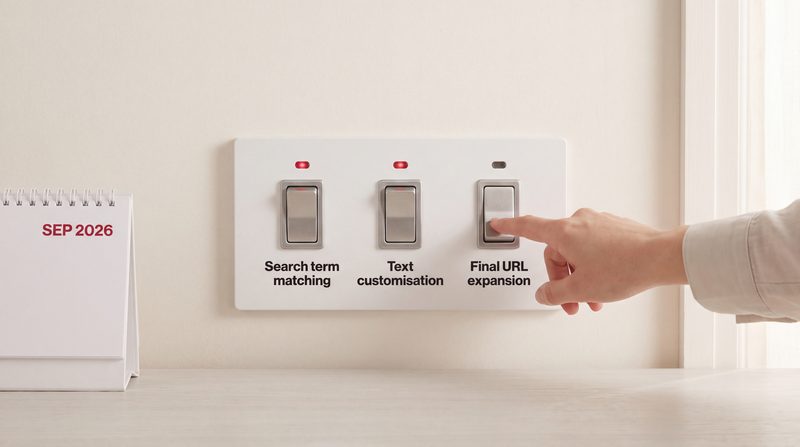
Google said it would start moving some Search campaigns to AI Max automatically from September 2026, with Dynamic Search Ads following from February 2027. Which campaigns, what is switched on, and what to check.
Short film: Has Google switched on AI Max? · Read: What is AI Max for Search, and should a small business switch it on?
Transcript
Jack This is The Vibe Uncut. I'm Jack.
Greta And I'm Greta.
Jack Last time: AI Max, the setting that lets a Search campaign go beyond its keywords. This time, a question a lot of people have been asking this autumn. "I didn't switch anything on. Why does my campaign say AI Max?"
Greta Because Google said it would switch it on for some campaigns.
Jack Without asking?
Greta With notice. Google announced it on the fifteenth of April 2026, in the same post that said AI Max was moving out of beta.
Jack Which campaigns?
Greta Two groups first. Search campaigns that had automatically created assets switched on. And Search campaigns that used broad match as a setting for the whole campaign. Google said both would be upgraded to AI Max automatically from September 2026. Its original post said it expected upgrades for eligible campaigns to finish by the end of September.
Jack So if mine had either setting, it has probably happened already.
Greta If your campaign was eligible, Google expected it to be done by then. Your campaign settings will tell you. And what is switched on depends on which setting you had.
Jack Explain that.
Greta Campaigns with automatically created assets were upgraded with two features on by default: search term matching, and text customisation. So Google can match more searches, and write text for them.
Jack And the broad match ones?
Greta Search term matching. That's the only feature Google's post mentions for that group.
Jack What about final URL expansion, Google choosing the landing page?
Greta Google's post lists only those features for those two groups. Final URL expansion isn't in either list. Your campaign settings will show you exactly what's on.
Jack There was a third group, wasn't there?
Greta Dynamic Search Ads. Those are campaigns with no keywords at all, where Google writes the headline from your website and picks the page. Google first said they would move in September too. Then, in an update on the eleventh of June, it moved that to February 2027.
Jack What happens to them then?
Greta Google says campaigns with dynamic ad groups will be moved to standard ad groups, with their settings and data carried across into AI Max. All three AI Max features are switched on, and the existing controls over which web addresses can be used are kept.
Jack So someone running Dynamic Search Ads has until February.
Greta Yes. And Google's advice is not to wait. It's rolling out upgrade tools that carry your settings and history across into new standard ad groups. The case for moving early is simple: you choose the setup, rather than having it chosen for you.
Jack Can you undo it? If Google upgraded my campaign and I don't like it?
Greta Google's help pages say you can turn AI Max off in a campaign, which switches off all of its features, and that turning it back on restores them as they were. What Google's announcement doesn't say is whether turning it off puts an upgraded campaign back exactly as it was before the upgrade. You can also switch off text customisation and final URL expansion separately, in the campaign settings.
Jack So I can stop Google writing my adverts, at the very least.
Greta Yes. And negative keywords still apply with AI Max on. Google says that directly.
Jack Why is Google doing this at all?
Greta Google's case is that people's searches are becoming more complex and less predictable. It quotes its own internal data: on average, 7 per cent more conversions or conversion value, at a similar cost per conversion or return on ad spend, for Search campaigns using all three AI Max features, compared with search term matching alone.
Jack You said last time that's an average.
Greta And it bears repeating. It's Google's figure, from advertisers outside retail. An average across many accounts says nothing certain about yours. Your search terms report will tell you what it did for you.
Jack Let's make it practical. Someone has a Search campaign. What do they check?
Greta First, open the campaign settings and see whether AI Max is on. If it is, and you didn't switch it on, check whether automatically created assets or campaign-wide broad match were on before. That tells you why.
Jack Second?
Greta See which features are on: search term matching, text customisation, final URL expansion. Decide which you actually want. Text customisation is the one to think hardest about if your sector has rules about what an advert may claim.
Jack Clinics, for instance.
Greta Clinics, financial services, anyone whose advert wording has to be checked. You can switch text customisation off, or keep it on with text guidelines that exclude certain words and messages.
Jack Third?
Greta Open the search terms report and filter for the AI Max match type. Read what has appeared since the upgrade. Block anything you'd never want with negative keywords.
Jack And if they run Dynamic Search Ads?
Greta Put a date in the diary well before February 2027, and move on your own terms. Google also suggests testing the full set of AI Max features with an experiment first, so you can compare before you commit.
Jack And tracking, presumably.
Greta Always. AI Max relies on signals from bidding strategies such as Maximise conversions, and Google's help pages say manual bidding stops search term matching from working. Those strategies need conversion tracking, and they bid towards the conversions you count. If your conversions are wrong, a wider campaign just finds more of the wrong thing, faster.
Jack Short answer, then. Did Google switch it on for me?
Greta If your Search campaign had automatically created assets, or broad match for the whole campaign, and it was eligible, Google expected to have upgraded it by the end of September. If you run Dynamic Search Ads, the upgrade begins in February 2027. Either way, you can see what's on, and change most of it.
Jack That's The Vibe Uncut. If you'd like a second pair of eyes on what's switched on in your account, Vibe Studio Marketing does a free 20-minute review on a shared screen. Book at vibestudiomarketing.com/book.
Greta Next time: Performance Max. One campaign for everything, and what that really means.
Sources (6)
- Google blog, "We're upgrading Dynamic Search Ads to AI Max" (15 April 2026, updated 11 June 2026)
- Google Ads Help, "How AI Max for Search campaigns works" (switching off text customisation and final URL expansion)
- Google Ads Help, "Frequently asked questions about AI Max for Search campaigns"
- Google Ads Help, "Use text guidelines with Performance Max and Search campaigns (beta)"
- Google Ads Help, "About Dynamic Search Ads"
- Google Ads Help, "About Smart Bidding" (needs conversion tracking; bids for conversions or conversion value)
-
Episode 3 · 6 min 48 s
Performance Max: one campaign for everything?
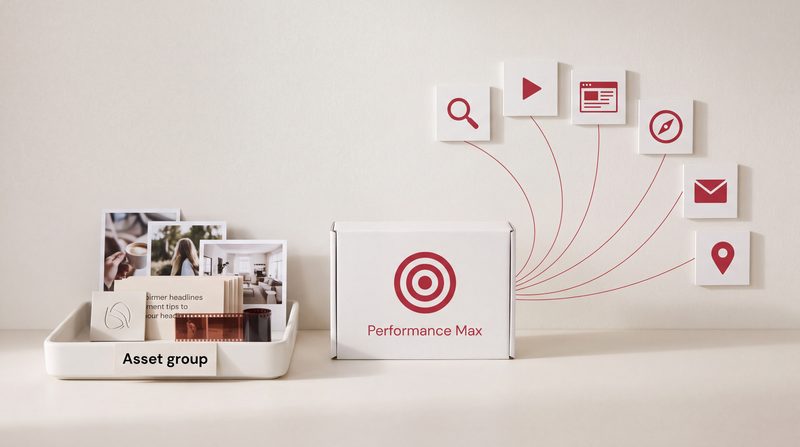
Performance Max runs one campaign across Search, YouTube, Display, Discover, Gmail and Maps, aimed at a goal you set. What you give it, how it decides, and what you can now see and control.
Short film: What is Performance Max?
Transcript
Jack This is The Vibe Uncut. I'm Jack.
Greta And I'm Greta.
Jack Performance Max. It has been around for a while, and plenty of people are still unsure about it. The usual line is: "It's Google's black box." Fair?
Greta Less fair than it used to be. But let's start with what it is.
Jack Go on.
Greta Google describes Performance Max as a goal-based campaign that gives you access to all Google Ads inventory from a single campaign. One campaign, and your adverts can appear on YouTube, Display, Search, Discover, Gmail and Maps. If you sell products and give it a product feed, Shopping as well.
Jack One campaign instead of several.
Greta Yes. And instead of choosing where your advert goes, you tell it what you want, the goal, and Google decides where to show it to get that.
Jack What do I give it?
Greta Three things, mainly. A conversion goal: the action that counts as a result, such as a booking or a sale. Optionally, a target: a cost per action, or a return on ad spend. And asset groups.
Jack Asset groups being?
Greta Collections of creative. Headlines, descriptions, images, logos and videos, built around one theme or one audience. Google mixes and matches them into adverts tailored to each place they can appear.
Jack So I'm not writing an advert. I'm handing over the ingredients.
Greta That's a good way to put it. Which is why the ingredients matter so much. Google can generate extra images and videos, but it builds them from what you give it. Give it three images and no video, and that's very little to build from.
Jack And audiences?
Greta You can add audience signals. Your own customer list, for example, or people who have searched for particular things. Google says these speed up the campaign's learning.
Jack How does it decide what to bid?
Greta Smart Bidding. Google bids in real time, in each auction, based on how likely that auction is to lead to a conversion.
Jack Which brings us back to tracking.
Greta It always does. Smart Bidding needs conversion tracking, and it bids towards the conversions you count. If the conversion is a page view, or a form that a bot fills in, it will find you more page views and more bots. If the conversion is a real booking, it learns what a booking looks like.
Jack Now, the black box. What can I actually see?
Greta More than before. Google lists channel performance reporting, which shows how results split across Search, YouTube, Display and the rest. Asset group reporting. Placement reports, showing where adverts appeared. And metrics for individual assets, so you can see which images and headlines are doing the work.
Jack And control? Can I stop it showing for things I don't want?
Greta Two controls worth knowing. Negative keywords, at campaign level, to block searches. And brand exclusions, to stop it showing for particular brand names.
Jack I run Search campaigns as well. Do the two fight each other?
Greta Google has a rule for that. If someone's search exactly matches an exact match keyword in your Search campaign, the Search campaign is used, not Performance Max. Performance Max's own search themes rank the same as phrase and broad match keywords.
Jack So my exact keywords are protected.
Greta Generally, yes. Google notes one exception: if your Search campaign is limited by its budget, Performance Max may sometimes show for those searches instead.
Jack Who is Performance Max right for?
Greta It suits a business that knows exactly what a result is, can count it reliably, and has enough creative to fill the asset groups. Shops with a product feed are the obvious case. For a service business with a clear set of searches, a clinic or a kitchen showroom, say, a well-run Search campaign is often the place to start, with Performance Max added once the tracking is solid.
Jack And what is it not?
Greta It's not a Search campaign with extras. It's not something to set up and forget. And it's no substitute for knowing what a customer is worth to you.
Jack What are the mistakes you'd look for first?
Greta Two come up again and again. The first is the goal. A campaign told to find form submissions, or page views, or clicks on a phone number that nobody answers, will find plenty of them. Google can't tell the difference between a real enquiry and a hollow one unless you tell it.
Jack And the second?
Greta One asset group for everything. Google describes an asset group as creative built around one theme or one audience. A business that puts every service into a single asset group gives Google one muddled set of ingredients for very different customers. A clinic with skin treatments and hair removal, say, is usually better with an asset group for each, with images and headlines that match.
Jack So: one theme, one set of creative.
Greta That's the idea. It also makes the asset reports easier to read, because you can see which theme is working.
Jack Practical checks, then.
Greta One. Check that the conversion goal the campaign is using is the real booking or sale, counted once.
Jack Two.
Greta Open the channel performance report and see where the money went: Search, YouTube, Display. If most of it went somewhere you didn't expect, ask whether those results are real.
Jack Three.
Greta Look at your asset groups. Count the images and videos. If there's one video and three images, that's the place to start improving.
Jack And negatives?
Greta Add campaign-level negative keywords for the services you don't offer, the same way you would in a Search campaign.
Jack Short answer. Is Performance Max a black box?
Greta It's a machine you steer through what you give it: the goal, the tracking and the creative. And you can now see far more of what it does.
Jack That's The Vibe Uncut. If you'd like your own campaigns looked at, Vibe Studio Marketing does a free 20-minute review on a shared screen. Book at vibestudiomarketing.com/book.
Greta Next time: Search, Performance Max and Demand Gen. Which is which?
Sources (7)
- Google Ads Help, "About Performance Max campaigns"
- Google Ads Help, "About Demand Gen campaigns" (Performance Max across channels including Search, Maps and Shopping)
- Google Ads Help, "About audience signals" for Performance Max
- Google Ads Help, channel performance report for Performance Max
- Google Ads Help, Performance Max reporting update (6 November 2025)
- Google Ads Help, Performance Max best practices for retailers (product feeds)
- Google Ads Help, "About Smart Bidding" (needs conversion tracking; bids for conversions or conversion value)
-
Episode 4 · 6 min 58 s
Search, Performance Max, Demand Gen: which is which?
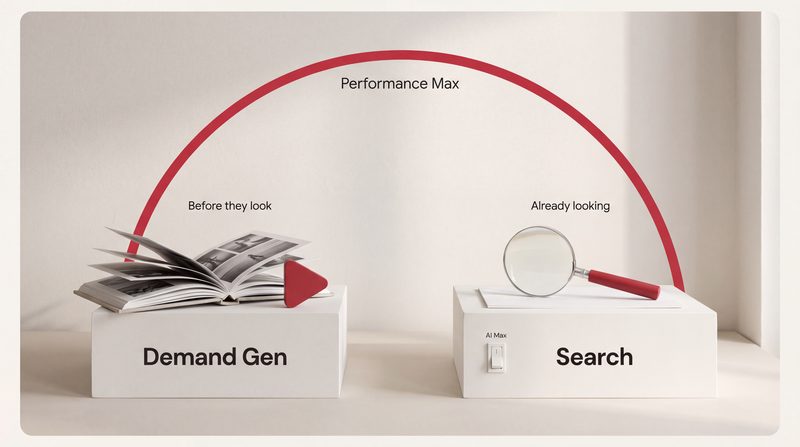
Three campaign types, and AI Max, which is a setting rather than a campaign. Where each one shows your adverts, who it reaches, and how to choose between them.
Short film: Demand Gen or Performance Max? Two jobs, two campaigns
Transcript
Jack This is The Vibe Uncut. I'm Jack.
Greta And I'm Greta.
Jack Here's a sentence a business owner might genuinely hear in one week. "You should be on Performance Max." "No, try Demand Gen." "Your Search campaign has AI Max on." Are those all the same thing?
Greta No. Three of them are types of campaign, and one is a setting. Let's take them one at a time.
Jack Start with Search.
Greta Search is the most familiar. Text adverts on Google's search results, shown when someone searches for something related to your keywords. You choose the keywords and write the adverts.
Jack And AI Max?
Greta AI Max is a setting inside a Search campaign. It lets the campaign reach searches beyond your keywords, write text for each search, and choose the landing page. We covered it in episode one. The thing to remember is that it isn't a separate campaign. It's a switch.
Jack Performance Max?
Greta A campaign type of its own. Google describes it as goal-based, with access to all Google Ads inventory from one campaign: YouTube, Display, Search, Discover, Gmail and Maps, and Shopping if you give it a product feed. You give it a goal and the creative, and Google decides where each advert goes.
Jack And Demand Gen?
Greta Also a campaign type. Google describes it as a way to bring video and image adverts into a single campaign, shown on YouTube, including Shorts, on Discover, in Gmail, on Maps, and across the Google Display Network.
Jack That sounds a lot like Performance Max.
Greta It overlaps, which is where the confusion comes from. The difference is purpose and control. Demand Gen is built to reach people even before they're actively searching for you. Google describes it as generating demand on its most visual surfaces. And Google says it gives you more control over creative testing, audience targeting and placements on YouTube and Discover than Performance Max does.
Jack Whereas Performance Max goes everywhere, chasing the goal.
Greta Including Search, yes. Google describes the goal of Performance Max as getting the best performance across all of its channels.
Jack Give me a way to remember the three.
Greta Think about where your customer is in their decision. Search catches people who are already looking for what you do. Demand Gen puts you in front of people before they start looking. Performance Max tries to cover both, from one budget, aimed at the goal you set.
Jack So which should a small business use?
Greta It depends on how your customers decide. If people search for what you do when they need it, a clinic treatment, a plumber, a kitchen showroom in their town, Search is usually the foundation. If you sell products and have a feed of them in Merchant Center, Performance Max with Shopping is worth serious attention. If what you sell has to be seen before anyone thinks to search for it, a fashion label, say, Demand Gen is built for that.
Jack Can you run all three?
Greta You can. On a small budget, it's usually wiser to start with one, and add another once the first is clearly working. Fewer campaigns also make it much easier to see what each one is doing.
Jack What about bidding? Is that the same across them?
Greta Similar ideas, different options. Demand Gen, for example, can bid for clicks, for conversions, or for conversion value. Performance Max bids for conversions or conversion value, with an optional target. But the principle is the same: an automated strategy is only as good as the conversions you count.
Jack Here's what I think people really want to know. Is one of these a scam? Is Google just pushing whichever makes it more money?
Greta Each of them can work, and each of them can waste money. Google's own help pages put conversion goals at the centre of these campaigns, and Smart Bidding needs conversion tracking switched on. The campaign type matters less than whether you've told Google clearly what a result is.
Jack Make it concrete. Three different businesses.
Greta A clinic first. People search when they're ready to book a consultation, so Search is the foundation, with careful wording, because clinic adverts have rules about what they can claim. A kitchen showroom: Search for people looking for a showroom in their town, and perhaps Demand Gen on YouTube to show finished kitchens to people who are only starting to think about it. An online fashion shop: Performance Max with a product feed, so products appear in Shopping, and Demand Gen when there's a new season to show.
Jack So the businesses differ in where they start.
Greta And in what they need ready first. Search needs good keywords and adverts. Performance Max needs a product feed or plenty of creative. Demand Gen needs images and video worth stopping for.
Jack Practical checks, then.
Greta One. Open your campaigns page and note the type of each campaign. Write down what you're actually running. People are often surprised.
Jack Two.
Greta For each campaign, write one sentence about what it's for. Catching searches, finding new people, or selling products. If you can't write that sentence, the campaign probably needs rethinking.
Jack Three.
Greta Check each campaign's conversion goal. They should all be counting a real result: a booking, a sale, a qualified enquiry. Not page views.
Jack And four?
Greta If you run Search, check whether AI Max is on, and which of its features. That's episode one, and episode two if Google switched it on for you.
Jack Short answer, then. Search, Performance Max, Demand Gen. Which is which?
Greta Search catches people who are looking. Demand Gen reaches people before they look. Performance Max chases your goal across everything. And AI Max isn't a campaign at all. It's a setting on Search.
Jack That's The Vibe Uncut. If you're not sure which campaigns suit your business, Vibe Studio Marketing does a free 20-minute review on a shared screen. Book at vibestudiomarketing.com/book.
Greta Next time: broad match isn't what it was.
-
Episode 5 · 6 min 47 s
Broad match is not what it was
Broad match is now the default for every new keyword, and even exact match can show for searches with the same meaning. What each match type does now, and how to stay in control of what you pay for.
Short film: Do match types still matter?
Transcript
Jack This is The Vibe Uncut. I'm Jack.
Greta And I'm Greta.
Jack Keyword match types. Broad, phrase and exact. I think most people learned these years ago, and assume they still work the same way.
Greta And that assumption can cost money. Let's start with the one that surprises people most.
Jack Which is?
Greta Broad match is the default. Google's own help page says broad match is the default match type that all your keywords are assigned. If you type a keyword into Google Ads with no symbols around it, it's broad match.
Jack So someone who types "kitchen showroom Bath" thinking that's what they'll show for...
Greta Has a broad match keyword. And with broad match, Google says your advert can show on searches related to your keyword, which can include searches that don't contain the direct meaning of your keyword.
Jack What does "related" mean in practice?
Greta Google decides, using signals such as the person's recent searches, the content of your landing pages and adverts, and the other keywords in the ad group. Which is why Google itself says it is critical to use Smart Bidding with broad match. Each search is different, and the bid should reflect the signals in that particular auction.
Jack So broad match with manual bidding...
Greta Is broad match without the thing Google says it needs. That combination is worth checking for.
Jack Phrase match?
Greta Phrase match is the keyword in quotation marks. Google says your advert may show on searches that include the meaning of your keyword. Not the exact words: the meaning. The meaning can be implied, or the search can be more specific than your keyword.
Jack And exact match? Surely exact is exact.
Greta Not any more, in the way people expect. Exact match is the keyword in square brackets. Google says your advert may show on searches that have the same meaning, or the same intent, as the keyword.
Jack Same meaning, not same words.
Greta Yes. So a search worded differently from your keyword can still count as exact, if Google judges it means the same thing.
Jack That's going to surprise people.
Greta It does. Exact match is still the tightest setting. It's just no longer word for word.
Jack What happens when more than one of my keywords could match a search?
Greta Google has rules. If the search is identical to an exact match keyword in your Search campaign, that keyword is preferred, including over Performance Max. If it's identical to a phrase or broad match keyword, that keyword shares priority with an identical Performance Max search theme. After that, Google narrows things to the most relevant ad groups, then picks the advert with the highest Ad Rank. Ad Rank takes into account your bid, the quality of your advert and landing page, and the context of the search, among other things.
Jack And where does AI Max fit in?
Greta AI Max's search term matching uses broad match and keywordless technology. So if AI Max is on, your campaign can reach beyond your keywords even if they're all exact. That's episodes one and two.
Jack So how does anyone keep control?
Greta Negative keywords, mainly. They stop your advert showing for searches you name. But there's a catch worth knowing.
Jack Go on.
Greta Negative keywords don't match close variants. Google says so on its negative keywords page. Capital letters and misspellings are handled for you. But if you add "jobs" as a negative, it won't block "job", or a word that means the same, such as "vacancies". You have to add singular and plural versions, and synonyms, yourself.
Jack So the keywords stretch, but the negatives barely do.
Greta That's exactly the imbalance. Which is why reading the search terms report matters so much. It shows the searches your adverts appeared for, though Google leaves out terms that too few people searched, for privacy reasons.
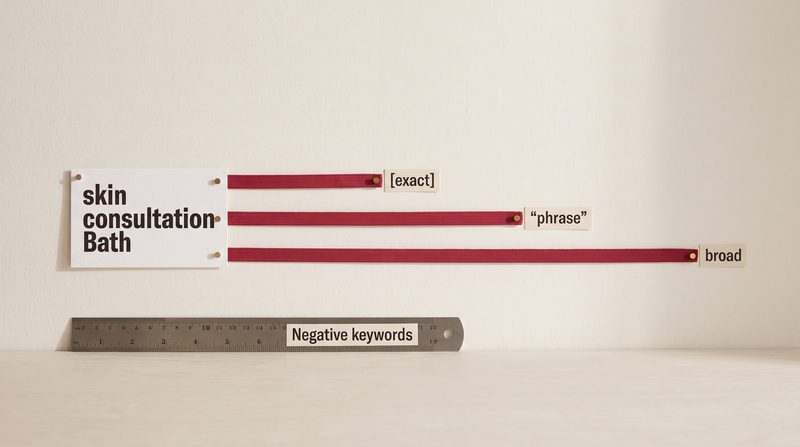
Jack Give me an example. Say a clinic in Bath has the keyword "skin consultation Bath".
Greta As broad match, with no symbols, the advert might show for searches Google judges related, such as a search for acne treatment nearby, which never mentions a consultation. As phrase match, in quotation marks, it might show for "best skin consultation in Bath city centre". As exact match, in square brackets, it might show for "Bath skin consultations", because the meaning is the same even though the words are in a different order.
Jack Those are examples, not promises.
Greta Exactly. They show the kind of stretch each setting allows. The search terms report shows the real searches your adverts appeared for, apart from terms too few people searched, which Google leaves out for privacy reasons.
Jack Practical checks, then.
Greta One. Open your keywords and look at the match type column. Anything without quotation marks or square brackets is broad match. Make sure that's deliberate.
Jack Two.
Greta If you use broad match, check the campaign's bidding strategy. Google's own advice is to use Smart Bidding with it. If you're bidding manually, consider phrase or exact instead.
Jack Three.
Greta Read the search terms report every week for the first month after any change. Add negative keywords for what you'd never want, including plurals and words that mean the same thing, because negatives don't stretch the way keywords do.
Jack And four?
Greta Check your conversion tracking. Smart Bidding needs it, and bids towards the conversions you count. If those are wrong, the stretching goes in the wrong direction.
Jack Short answer, then. Is broad match what it was?
Greta No. Broad is now the default. Phrase and exact match on meaning rather than words. And negative keywords stretch far less: they cover misspellings, but not plurals or synonyms. Set them with that in mind.
Jack That's The Vibe Uncut, and the end of our first block. If you'd like someone to read your search terms report with you, Vibe Studio Marketing does a free 20-minute review on a shared screen. Book at vibestudiomarketing.com/book.
Greta Next time, we start on steering the machine: negative keywords still matter.
Sources (7)
- Google Ads Help, "About keyword matching options"
- Google Ads Help, "About negative keywords" (negatives do not match close variants; capital letters and misspellings are handled; plurals and synonyms are not)
- Google Ads Help, "How AI Max for Search campaigns works" (search term matching uses broad match and keywordless technology)
- Google Ads Help, "About Ad Rank"
- Google Ads Help, "About the search terms report" (low-volume terms omitted for privacy)
- Google blog, AI Max for Search campaigns launch (6 May 2025)
- Google Ads Help, "About Smart Bidding" (needs conversion tracking; bids for conversions or conversion value)
Steer the machine
Five episodes on the controls you still have: negative keywords, the search terms report, the words Google writes, the pages it chooses, and the budget. About eight minutes each.
-
Episode 6 · 8 min 10 s
Negative keywords still matter
Negative keywords stop your adverts showing for searches you don't want, at four levels: ad group, campaign, list and account. Where each works, including in AI Max and Performance Max, and the three traps that make them miss.
Short film: Negative keywords and brand exclusions: tell Google where not to spend
Transcript
Jack This is The Vibe Uncut. I'm Jack.
Greta And I'm Greta.
Jack Our second block is about steering the machine. And it starts with a line a lot of people have heard. "Google's automation finds the right searches now. Negative keywords are a thing of the past."
Greta Google doesn't say that. In fact, it has added more places to use them, not fewer.
Jack Start with the basics. What is a negative keyword?
Greta A word or phrase that tells Google not to show your advert for certain searches. Exactly which searches it blocks depends on its match type, which we'll come to. Google's own example is an optician who sells glasses adding "wine glasses" as a negative. They sell glasses, but not those ones.
Jack And where do they go?
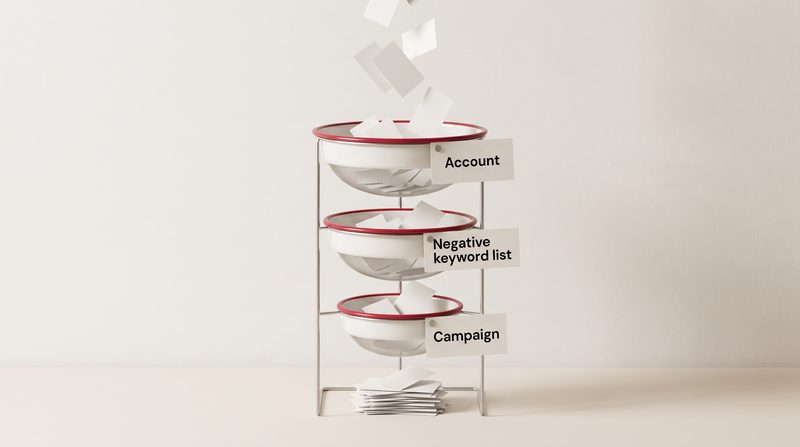
Greta There are four levels. An ad group. A campaign. A negative keyword list, which you build once in the shared library and apply to many campaigns at once. And the whole account.
Jack Why so many?
Greta Because some searches are wrong for one campaign, and some are wrong for the whole business. If you never offer anything free, "free" might be wrong everywhere. If you run one campaign for kitchens and another for bathrooms, "bathroom" might be wrong only in the kitchen campaign.
Jack Tell me about the account level.
Greta You set it in the account settings, under the admin menu. Google says it covers all search and shopping inventory in Search, Performance Max, App, Shopping, Smart and Local campaigns. You can exclude up to 1,000 negative keywords that way.
Jack And the lists?
Greta Up to 20 lists in an account, each holding up to 5,000 negatives. They're the tidy way to do it. One list of job-related words, say, applied to every campaign, so people looking for a job with you aren't clicking adverts meant for customers.
Jack Now the automated campaigns. Does any of this work in Performance Max?
Greta It does now, and that's one of the bigger changes. In January 2025, Google started rolling out campaign-level negative keywords for Performance Max to all advertisers. The limit started at 100 per campaign, and Google then raised it to 10,000. In August 2025, it added negative keyword lists to Performance Max as well.
Jack So they behave the same as in Search?
Greta With one important difference. In Performance Max, negative keywords apply to Search and Shopping inventory only. They don't stop your adverts appearing on YouTube or Display. For those, Google points you to a separate setting called excluded content keywords.
Jack And AI Max, the setting that takes Search campaigns beyond their keywords?
Greta Google answers that one directly: negative keywords will be respected even with AI Max turned on.
Jack What about Demand Gen?
Greta For keyword exclusions, Google's Demand Gen page points to excluded content keywords, which are set for the whole account, under content suitability.
Jack You mentioned brand exclusions in episode one. How are they different?
Greta A brand exclusion stops your adverts showing on searches for brand names you choose. That can include your own name, if you'd rather not pay for people already on their way to your website. Google says a brand exclusion covers the brand, common misspellings and even related subsidiary brands, and calls it more comprehensive than negative keywords.
Jack Anything to watch?
Greta One thing in Search campaigns. Since May 2025, brand exclusions in Search have been moving into AI Max.
Jack So could switching AI Max off quietly switch off my brand exclusions?
Greta It can. Google's AI Max help page says brand exclusions running inside AI Max are disabled when AI Max is off, and come back when it's switched on again. Google's brand exclusions page adds that the older brand setting, outside AI Max, keeps working as usual. So it's worth checking which kind you have.
Jack Now the traps. You covered one in episode five.
Greta Close variants. Your keywords stretch to cover similar searches. Your negatives don't. Google says negatives handle capital letters and misspellings, but you need to add plurals and synonyms yourself.
Jack And the second trap?
Greta Match type. A negative keyword has a match type too, and it changes what gets blocked. Take Google's example, the negative "running shoes". As broad match, it blocks any search containing both words, in any order. As phrase match, in quotation marks, it blocks searches with those words in that order, so "shoes running" gets through. As exact match, in square brackets, it blocks only the search "running shoes", with nothing added.
Jack Why does that matter in practice?
Greta Because when you add a negative straight from the search terms report in a Search campaign, Google adds it as exact match by default. So if you tick "free kitchen design" in the report, you block that exact search. "Free kitchen design ideas" still gets through.
Jack So you might think you've blocked "free", and you haven't.
Greta Exactly. If one word is the problem, add that word on its own, as broad or phrase match.
Jack Third trap?
Greta Blocking yourself. Google warns that if your negatives overlap with your own keywords, your advert won't show. A negative "cheap" will block the very searches your keyword "cheap kitchen worktops" was meant to catch.
Jack Can you overdo it?
Greta Google says so. If you use too many negative keywords, your adverts might reach fewer customers. When Google raised the Performance Max limit, it added a caution: keep an eye on how negative keywords affect your reach and performance. And for Performance Max, Google has a preview that estimates the effect of adding negatives, up to ten at a time, before you add them.
Jack So it's a balance.
Greta It's a judgement. Block what you would never want. Leave the rest until your own figures say otherwise.
Jack Practical checks, then.
Greta One. Open your negative keywords and note where each one sits: ad group, campaign, list or account. Move the ones that apply to the whole business to the account level, which new Search, Shopping and Performance Max campaigns pick up automatically. Or put them in a list, and remember to attach that list to each new campaign.
Jack Two.
Greta Check the match type of your most important negatives, especially any added from the search terms report. If you meant to block a word, make sure it isn't an exact match on one long search.
Jack Three.
Greta If you run Performance Max, check that it has campaign-level negatives for the services you don't offer. And if you switched AI Max off in a Search campaign, check whether your brand exclusions still apply.
Jack Short answer. Do negative keywords still matter?
Greta Yes. Campaigns reach further than they used to, and negatives are still one of the plainest ways to tell Google where not to spend.
Jack That's The Vibe Uncut. If you'd like your negative keywords checked against your search terms, Vibe Studio Marketing does a free 20-minute review on a shared screen. Book at vibestudiomarketing.com/book.
Greta Next time: what did Google actually show my advert for?
Sources (16)
- Google Ads Help, "About negative keywords" (match types and Google's "running shoes" example; close variants; capital letters and misspellings; too many negatives)
- Google Ads Help, "About keyword matching options" (quotation marks for phrase match, square brackets for exact match)
- Google Ads Help, "About negative keyword lists" (20 lists, 5,000 negatives each; applied to campaigns)
- Google Ads Help, "About account-level negative keywords" (1,000 negatives; campaign types covered)
- Google Ads Help, "Add negative keywords to campaigns" (overlap with your own keywords)
- Google Ads Help, "Get negative keyword ideas using the search terms report" (added as exact match by default)
- Google Ads Help, "Negative keywords in Performance Max campaigns" (Search and Shopping inventory only)
- Google Ads Help, "How to use brand suitability features in Performance Max" (excluded content keywords for Display and Video)
- Google blog, "Kick off 2025 with new Performance Max features" (23 January 2025)
- Google Ads Help, "More goals and image controls coming to Performance Max" (9 April 2025; limit raised from 100 to 10,000; monitor reach and performance)
- Google Ads Help, "Unlock more visibility and control in Performance Max" (7 August 2025; negative keyword lists)
- Google Ads Help, "Estimate the impact of adding negative keywords to your Performance Max campaign"
- Google Ads Help, "Frequently asked questions about AI Max for Search campaigns" (negatives respected; brand exclusions disabled when AI Max is off)
- Google Ads Help, "About brand exclusions"
- Google Ads Help, "Apply brand exclusions to Performance Max or Search campaigns" (moving into AI Max from 27 May 2025; the existing brand setting keeps working outside AI Max)
- Google Ads Help, "About Demand Gen campaigns" (excluded content keywords)
-
Episode 7 · 8 min 3 s
What did Google actually show my advert for?
The search terms report lists the searches that showed your advert, and how each one performed. How to read it, how AI Max and Performance Max appear in it, and what it leaves out.
Short film: The search terms report shows what people actually typed
Transcript
Jack This is The Vibe Uncut. I'm Jack.
Greta And I'm Greta.
Jack Last time, negative keywords. To use them well, you need to know which searches to block. Which brings us to today's question. "I chose my keywords. Why does Google say my advert showed for something else?"
Greta Because a keyword and a search term are two different things, and most of the confusion starts there.
Jack Explain the difference.
Greta A keyword is what you add to your campaign. A search term is what a person actually types. Google's example: someone types "red roses". The advertiser's keyword is "roses". "Red roses" is the search term. "Roses" is the keyword.
Jack And the search terms report shows which?
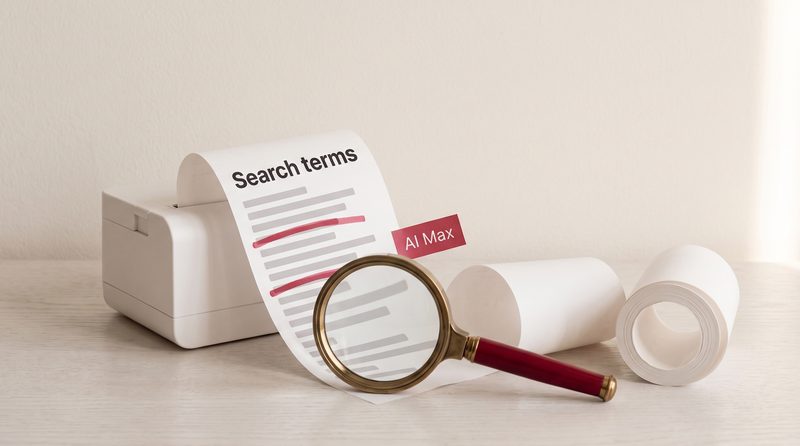
Greta The search terms. The searches that showed your advert, and how the advert did for each one: impressions, clicks, conversions and so on.
Jack Are those always the exact words people typed?
Greta Nearly always. Google says that for some newer kinds of search, such as Google Lens, AI Mode and AI Overviews, the term in the report is its best approximation of what the person meant.
Jack Where do I find it?
Greta In the Campaigns menu, under Insights and reports, then Search terms.
Jack What should I look at first?
Greta Add one column. The keyword column doesn't show by default. Switch it on, and for each search you can see which of your keywords matched it. That explains most of the surprises.
Jack There's a match type column too. Is that the match type I chose?
Greta Not necessarily, and Google says so. The match type in the report describes how the search related to your keyword. Google's example is the broad match keyword "purple flowers" and the search "free purple flowers". The report calls that phrase match, because the search contains your keyword. And where a search is a close variant of your keyword, the report says so in the match type.
Jack Now AI Max. How does that show up?
Greta AI Max adds its own value to the match type column, called "AI Max", for the extra searches it finds beyond your keywords. It also adds a source column, which shows whether the match came from broad match expansion of your keywords, or from keywordless matching.
Jack So I can filter for AI Max and see everything it found.
Greta Nearly everything. Google notes that filtering for AI Max may show lower numbers, because the filter doesn't take "other search terms" into account.
Jack Can I see the whole journey? The search, what the advert said, and where it went?
Greta Yes. At the top of the report there's a drop-down. Choose "search terms and ad combinations". Google used to call it "search terms and landing pages from AI Max". It shows the search, the headlines and the landing page together, by campaign and ad group. And in September, Google announced a further single view of the whole Search advert journey, with details and availability later this year.
Jack Does Performance Max have one of these?
Greta It does now. Google announced full search terms reporting for Performance Max in April 2025, and by August said it was available for all Performance Max campaigns. It's in the same report: choose the Performance Max view from the drop-down. It shows the searches with the headlines and landing pages, and the data goes back to March 2023.
Jack Anything different about reading it?
Greta Two things. Google says to judge Performance Max on conversions rather than clicks, because some conversions happen without a direct click. And remember from last time: negative keywords in Performance Max block Search and Shopping only.
Jack Now the honest question. Does the report show every search?
Greta No. Google leaves out search terms that don't have enough search activity, to protect privacy. Google's developer documentation says the clicks from those hidden searches are still included in the campaign total. They just aren't listed. So the rows in the report won't add up to the campaign total, and that's expected.
Jack Is there any way to see the missing ones?
Greta Partly. Search terms insights, on the Insights page, groups your searches into categories. Google says those categories include the searches hidden from the report, though the hidden searches themselves aren't shown.
Jack How fresh is the data?
Greta Not live. Clicks and cost are usually updated within about an hour. Google's data freshness table shows search terms for a Sunday arriving on Monday afternoon, London time.
Jack So once I've read it, what do I do?
Greta Two things. First, tick the searches you never want, and choose "add as negative keyword". Remember, in a Search campaign those go in as exact match by default. Second, Google's own advice is to add well-performing searches to your ad group as keywords.
Jack And in the AI Max view?
Greta The same, with one extra button. "Add as negative URL" stops a particular landing page being used. That's episode nine.
Jack How often should someone read it?
Greta Weekly for the first month after any change is a sensible habit. And on its AI Max reporting page, Google suggests waiting at least two weeks after switching AI Max on before making changes, such as adding negative keywords, so that Google Ads has time to learn.
Jack Give me an example. A kitchen showroom in Bath.
Greta Say the keyword is "kitchen showroom Bath". The report might show "kitchen showroom near me", which is welcome. "Kitchen showroom jobs Bath", which isn't. And, with AI Max on, perhaps "how much does a new kitchen cost", found by keywordless matching. That last one isn't wrong. It's someone earlier in their decision. The report shows whether it led to enquiries, and that decides whether you keep it.
Jack Those are examples, not promises.
Greta Exactly. Your own report shows the searches behind your adverts.
Jack Practical checks, then.
Greta One. Open the search terms report for the last 30 days and switch on the keyword column.
Jack Two.
Greta Sort by cost. Look at the searches that spent the most and produced nothing. Decide which to block, and add them as negatives at the right level, as a word rather than one long search where that's what you mean.
Jack Three.
Greta If AI Max is on, filter the match type for AI Max and add the source column. Then open "search terms and ad combinations" and read the headline and landing page next to each search.
Jack And Performance Max?
Greta Open its view in the same report, and judge it on conversions.
Jack Short answer. What did Google actually show my advert for?
Greta The search terms report will tell you. Not every search, because the rare ones are hidden for privacy, but enough to see what you're paying for, and to steer it.
Jack That's The Vibe Uncut. If you'd like to read your search terms report with someone, Vibe Studio Marketing does a free 20-minute review on a shared screen. Book at vibestudiomarketing.com/book.
Greta Next time: who wrote my advert?
Sources (13)
- Google Ads Help, "About the search terms report" (search term and keyword; the keyword column; match type in the report; low-volume terms omitted for privacy)
- Google Ads Help, "How AI Max for Search campaigns works" (the AI Max match type and the source column)
- Google Ads Help, "About reporting in AI Max for Search campaigns" (search terms and ad combinations; the AI Max filter and other search terms; wait two weeks)
- Google Ads API, "Reports for AI Max for Search campaigns" (clicks from hidden terms are included in the campaign total)
- Google Ads Help, "About ad group and asset group prioritization within a Google Ads account" (Lens, AI Mode and AI Overviews: the search term is the best approximation of intent)
- Google Ads Help, "About the search terms report in Performance Max" (data from March 2023; judge on conversions)
- Google blog, "Channel performance and more reporting coming to Performance Max" (30 April 2025)
- Google Ads Help, "Unlock more visibility and control in Performance Max" (7 August 2025; all Performance Max campaigns)
- Google Ads Help, "About search terms insights"
- Google Ads Help, "Get negative keyword ideas using the search terms report" (added as exact match by default)
- Google Ads Help, "Measure your results" (add well-performing search terms as keywords)
- Google Ads Help, "About data freshness"
- Google blog, "We're bringing AI Brief to more languages and adding a new AI Max reporting feature" (23 September 2026)
-
Episode 8 · 9 min 0 s
Who wrote my advert?
Google now writes some advert text itself: through text customisation in AI Max and Performance Max, and in extras added below adverts. Where the words come from, how to see and remove them, and how text guidelines set limits.
Short film: You bring the pieces, Google builds the advert · Read: What is AI Max for Search, and should a small business switch it on?
Transcript
Jack This is The Vibe Uncut. I'm Jack.
Greta And I'm Greta.
Jack Today's question tends to come up after someone searches for their own business and sees their advert. "I didn't write that headline. Who did?"
Greta Quite possibly Google. There are several ways Google can put words into your advert. Let's take them in order.
Jack Start with the advert I write myself.
Greta A responsive search ad. You can write up to fifteen headlines and four descriptions. Google shows up to three headlines and two descriptions at a time, and assembles the combinations itself.
Jack So even my own advert isn't one fixed advert.
Greta No. Google says the second and third headlines, and the second description, aren't guaranteed to appear.
Jack Can I fix a line in place?
Greta Pinning. You pin a headline to position one, say, and it only shows there. Google says pinning isn't recommended for most advertisers, and it can affect Ad Strength. But if a line must always appear, pinning is the usual tool. With one exception, which we'll come to.
Jack Then the words Google writes itself.
Greta The main one is called text customisation. It used to be called automatically created assets. In AI Max for Search, and in Performance Max, it lets Google write extra headlines and descriptions.
Jack Written from what?
Greta Google says from your domain, your landing page, your existing adverts and the keywords in your ad group, taking snippets from your page titles, descriptions and meta tags. Google says it checks the text for accuracy with quality models, and reviews it at least every 48 hours, refreshing it where needed.
Jack Is it on by default?
Greta In Performance Max, yes. In Search, when you switch AI Max on in Google Ads, text customisation is switched on by default too. And Google said Search campaigns with automatically created assets would be upgraded to AI Max from September, with text customisation on. That's episode two.
Jack Do these extra lines count towards my fifteen headlines?
Greta No. Google's text sits outside your limits.
Jack Is there anything else Google adds?
Greta Yes, and it's often missed. Account-level automated assets. Google can create sitelinks, callouts and other extras that appear below your advert. That's a setting for the whole account, separate from text customisation. It's under Assets, on the associations tab: open the three-dot menu, then account-level automated assets.
Jack How do I see what Google has written?
Greta The asset report. In Search campaigns, Google's text is marked "Google AI" in the "added by" column. In Performance Max, Google's help pages use two labels: "Google AI" in the "added by" column, or "automatically created" in the "source" column. The AI Max view of the search terms report shows the headline used for each search. And the combination report shows the adverts that actually served.
Jack Can I remove a line I don't like?
Greta Yes, one at a time, and the removal is permanent. Google says you can't remove its text in bulk inside Google Ads itself. For that you'd need Google Ads Editor, or the API.
Jack And if I don't want Google writing anything?
Greta Switch text customisation off, in the campaign's asset optimisation settings. The text Google generated then stops serving. But know what else goes with it. Final URL expansion, Google choosing the landing page, needs text customisation on. Turn text customisation off, and final URL expansion goes off with it. Not the other way round: you can switch final URL expansion off and keep text customisation.
Jack You said there was an exception to pinning.
Greta Final URL expansion again. Google says pinned lines aren't used if it chooses a more relevant page. To always use pinned lines, Google says to turn final URL expansion off.
Jack Is there a middle way? Let Google write, but within limits?
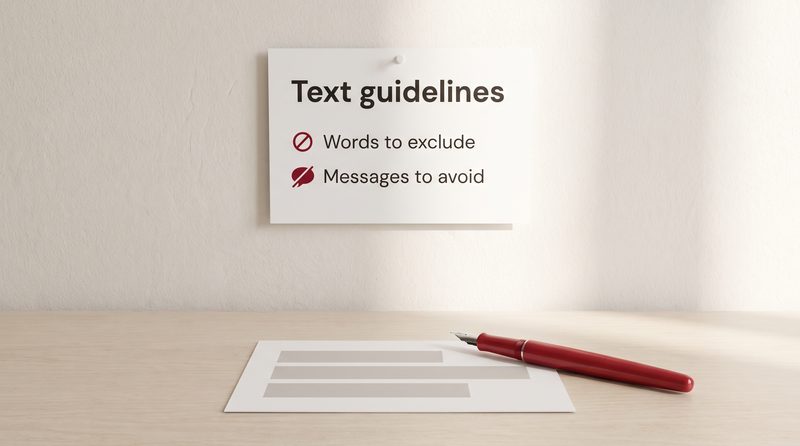
Greta That's text guidelines. They work in Performance Max, and in Search campaigns with AI Max on, and they need text customisation switched on. They're still labelled beta, though since February 2026 Google has offered them to all advertisers globally.
Jack What can I set?
Greta Two things. Term exclusions: up to 25 words or phrases per campaign that Google must not use in the text it writes. And messaging restrictions: up to 40 instructions per campaign about concepts, associations or styles to avoid.
Jack Give me an example of each.
Greta A clinic might exclude the words "cure" and "guaranteed", and add a restriction: don't imply that results are permanent. Google gives "Don't imply that our products are discounted" as an example that works.
Jack And one that doesn't?
Greta Google's example is "My ads should bring joy", which it calls vague and subjective. Google also says the model can only take hard requirements. Clear rules, not wishes.
Jack Any catches?
Greta A few. Term exclusions apply to one language, and they can't stop Google generating prices. For prices, Google points you to a messaging restriction instead. When you add guidelines, existing Google text that breaks them stops serving. And Google warns that badly written guidelines can remove a large number of good assets.
Jack Do text guidelines apply to what I wrote?
Greta Google describes them as applying to text made by text customisation. Your own lines are yours to check.
Jack Is any of this changing?
Greta In April, Google announced a new tool called AI Brief. When you start using it, your existing text guidelines move into its messaging guidelines. In September, Google described AI Brief as a closed beta, with more on availability later this year. So the name may change, but the idea stays the same.
Jack Now the serious question. If Google writes something wrong, whose problem is it?
Greta Yours. Google's Performance Max page says you remain responsible for reviewing and ensuring compliance and accuracy of landing page content, and all dynamically generated assets. And because Google's text is built largely from your website, Google asks that your site is accurate, not misleading, and within its policies and the law.
Jack Who should care most?
Greta Anyone in a regulated sector. Clinics, financial services. Google also says not to rely on its generative AI features for medical, legal, financial or other professional advice. And for wording that must always appear, Google announced text disclaimers in April: a line of up to 90 characters that, once approved, is guaranteed to show in every Search advert in the campaign. Google's help page says they'll be available to all advertisers, so check whether your account has them yet.
Jack Practical checks, then.
Greta One. Open the asset report and read every line Google has written in your name. In Search campaigns, filter the "added by" column for Google AI.
Jack Two.
Greta Check the account-level automated assets setting, and decide whether you want Google adding sitelinks and callouts.
Jack Three.
Greta If you keep text customisation on, write text guidelines. Exclude the words you can't use, and add a few firm restrictions. Then check your website says nothing you wouldn't put in an advert, because that's where most of Google's words come from.
Jack Short answer. Who wrote my advert?
Greta Partly you, partly Google. You can see which lines are whose, remove what you don't want, and set rules for the rest. But you're responsible for all of it.
Jack That's The Vibe Uncut. If you'd like a second pair of eyes on what's being said in your name, Vibe Studio Marketing does a free 20-minute review on a shared screen. Book at vibestudiomarketing.com/book.
Greta Next time: Google chose my landing page.
Sources (18)
- Google Ads Help, "About responsive search ads" (15 headlines and 4 descriptions; positions not guaranteed; pinning)
- Google Ads API, "Responsive search ads" (up to three headlines and two descriptions at a time)
- Google Ads Help, "About text customisation in search campaigns" (formerly automatically created assets; sources of the text; 48-hour review; website accuracy)
- Google Ads Help, "Turn text customisation on or off in search campaigns" (switching off; permanent removal)
- Google Ads Help, "Text customisation frequently asked questions" (outside the 15 and 4 limits; combination report)
- Google Ads Help, "Set up AI Max for Search campaigns" (on by default; pinned assets and final URL expansion)
- Google Ads Help, "About text customisation in Performance Max campaigns" (on by default; "automatically created" in the source column)
- Google Ads Help, "Controlling text customisation in Performance Max campaigns" ("Google AI" in the added by column; permanent removal)
- Google Ads Help, "About account-level automated assets"
- Google Ads Help, "About reporting in AI Max for Search campaigns" (Google AI in the added by column; no bulk removal in Google Ads)
- Google Ads Help, "Use text guidelines with Performance Max and search campaigns (beta)" (25 term exclusions; 40 messaging restrictions; examples and caveats)
- Google blog, "We're expanding beta access to text guidelines for all advertisers globally in AI Max" (26 February 2026)
- Google blog, "AI Max Turns 1 with new ways to steer performance and expansion to more advertisers" (30 April 2026; AI Brief and text disclaimers)
- Google blog, "We're bringing AI Brief to more languages and adding a new AI Max reporting feature" (23 September 2026; AI Brief closed beta)
- Google Ads Help, "About text disclaimers for search ads" (90 characters; guaranteed to show once approved; to be available to all advertisers)
- Google Ads Help, "About Performance Max campaigns" (responsible for landing page content and all dynamically generated assets)
- Google Ads Help, "How to build a Performance Max asset group using generative AI" (not for professional advice)
- Google blog, "We're upgrading Dynamic Search Ads to AI Max" (15 April 2026; campaigns with automatically created assets upgraded with text customisation on)
-
Episode 9 · 8 min 37 s
Google chose my landing page
Final URL expansion lets Google send people to a different page on your website from the one you set, in AI Max and in Performance Max. When it is on, how to close the pages it should never use, and how to see where people landed.
Short film: AI Max for Search: a wider net, so check the catch · Read: What is AI Max for Search, and should a small business switch it on?
Transcript
Jack This is The Vibe Uncut. I'm Jack.
Greta And I'm Greta.
Jack Today's question usually starts with an odd moment. Someone clicks their own advert, or a customer mentions it, and they land on a page the advertiser never chose. The blog. The about page. "Google chose my landing page?"
Greta It may well have. The setting is called final URL expansion. The final URL is simply the page you tell Google to send people to. Expansion means Google can send them somewhere else on your site instead.
Jack Where does it apply?
Greta In two places. In Search campaigns, it's one of the three AI Max features. In Performance Max, it's a setting of its own.
Jack Start with Search.
Greta Google describes it as sending traffic to the most relevant page on your website when that's likely to perform better. It says it will only use pages that are relevant to the search and in keeping with the theme of the ad group. And when it picks a different page, Google writes a headline and description to match that page.
Jack Is it on by default?
Greta If you switch AI Max on yourself, yes. Google's help page says final URL expansion is turned on by default when you opt in to AI Max. And another page says new Search campaigns have AI Max turned on by default.
Jack So a brand new Search campaign may already be doing this.
Greta If it's created in Google Ads with the defaults, it may. That's worth knowing before you publish. One exception: Google's developer blog says the Search campaigns it moved to AI Max automatically this September, from campaign-level broad match or automatically created assets, were set up with final URL expansion off.
Jack And Performance Max?
Greta Also on by default. Google says it can replace your final URL with a more relevant landing page from the same domain. And it says plainly that final URL expansion can serve on any page that hasn't been excluded.
Jack Why would Google do this?
Greta Google's case is performance. For Performance Max, it says advertisers using final URL expansion see an average increase of over 9 per cent in conversions or conversion value, at a similar cost per action or return on ad spend. That's Google's own global data, from February to April 2023. An average, from Google, and more than three years old.
Jack And the risk?
Greta Google names it on its own page: it can sometimes lead to adverts pointing to unintended pages, if it isn't managed carefully with URL exclusions.
Jack So, URL exclusions. How do they work?
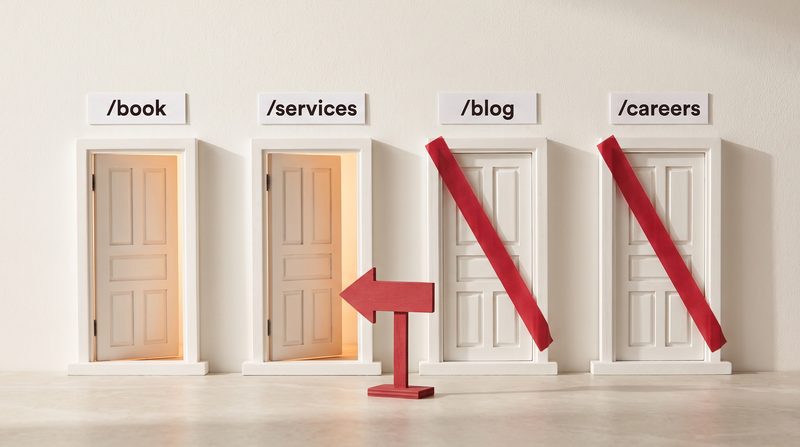
Greta You list pages Google must never use. In AI Max, it's in the campaign settings, in the AI Max section, under final URL expansion: add URL exclusions. You can list individual pages, or add a rule on the rules tab to cover a whole section, such as your blog.
Jack Which pages should go on it?
Greta Google's own examples, from its Performance Max pages: an about us page, a careers page, a privacy policy, an out-of-stock product page. And your blog or FAQ pages, if they aren't meant to bring in conversions.
Jack And in Performance Max?
Greta The same idea, in the campaign settings under asset optimisation. Two details. You can only add exclusions while final URL expansion is on. And you can't exclude the campaign's own final URL.
Jack Can I go the other way, and say which pages Google may use?
Greta In AI Max, yes. URL inclusions, set for each ad group. Google says that on their own, inclusions limit your adverts to the pages you choose. With final URL expansion on as well, Google can use both your pages and its own choices. In Performance Max, the nearest equivalents are a page feed, or a "URL contains" rule set in the asset group.
Jack And if I want every click on one page, no exceptions?
Greta Then Google's advice is simple: turn final URL expansion off. In AI Max, it's a tick box in the campaign settings. In Performance Max, it's under asset optimisation.
Jack Does turning it off affect anything else?
Greta Two connections to know. In AI Max, final URL expansion needs text customisation, so switching text customisation off switches this off too. And from last episode: Google says pinned headlines aren't used if a more relevant page is chosen. If pinning is a necessity for you, Google's advice is not to use final URL expansion or URL inclusions.
Jack How do I see where people actually landed?
Greta The landing pages report, under Insights and reports. Google says it includes the pages chosen by final URL expansion, and a "selected by" column shows whether AI Max picked the page. You can add exclusions straight from that report. And in the search terms report, the search terms and ad combinations view shows the search, the headline and the page together. The search terms report also lets you tick a page and add it as a negative URL.
Jack Anything technical people trip over?
Greta Tracking. Google warns that tracking templates that aren't set up in a compatible way can break expanded landing pages, with a page-not-found error. So if you use tracking templates, test them on the pages Google might choose, not only the one you set.
Jack And who answers for what's on the page?
Greta You do. Google's Performance Max page says you remain responsible for reviewing and ensuring compliance and accuracy of landing page content. Every page Google can choose is, in effect, part of your advert.
Jack What about Dynamic Search Ads, from episode two?
Greta They're due to be upgraded to AI Max from February 2027. Google's announcement says all three features will be switched on, final URL expansion included, with your existing URL controls kept. Some older rule types, such as "page title contains", become read-only: you can remove them, but not add or edit them.
Jack Give me an example.
Greta A kitchen showroom sets its home page as the final URL. Final URL expansion might send a search for shaker kitchens in Bath to the shaker kitchens page. Helpful. It might also send someone searching for kitchen ideas to a blog post about kitchen trends from four years ago, with no way to book a visit. That's the page to exclude.
Jack Practical checks, then.
Greta One. In each Search campaign with AI Max, and each Performance Max campaign, check whether final URL expansion is on.
Jack Two.
Greta Open the landing pages report and read the list of pages people actually reached. Anything you'd never send a customer to, exclude.
Jack Three.
Greta Add standing exclusions for the pages that never sell: careers, privacy, about us, old blog posts. And if one page must get every click, switch final URL expansion off.
Jack Short answer. Did Google choose my landing page?
Greta If final URL expansion is on, it can, from any relevant page on your site that you haven't excluded. You can see where people landed, close the pages that don't sell, or switch it off.
Jack That's The Vibe Uncut. If you'd like to know where your adverts are really sending people, Vibe Studio Marketing does a free 20-minute review on a shared screen. Book at vibestudiomarketing.com/book.
Greta Next time: how much should I spend?
Sources (15)
- Google Ads Help, "How AI Max for Search campaigns works" (final URL expansion; tracking templates and broken expanded pages)
- Google Ads Help, "About Final URL expansion in Search" (relevant and themed pages; on by default with AI Max; needs text customisation; URL exclusions and inclusions)
- Google Ads Help, "Set up AI Max for Search campaigns" (new Search campaigns have AI Max on by default; URL inclusions; legacy rule types read-only)
- Google Ads Help, "Frequently asked questions about AI Max for Search campaigns" (pinning)
- Google Ads Help, "About Final URL expansion in Performance Max" (on by default; any page not excluded; unintended pages)
- Google Ads Help, "About URL exclusion in Performance Max" (the campaign's own final URL can't be excluded)
- Google Ads Help, "About Final URL expansion (asset optimisation)" (Performance Max: exclusions only while on; example pages; URL contains rules)
- Google Ads Help, "Improve Performance Max campaigns with Final URL expansion" (one page: turn it off)
- Google Ads Help, "Multiply conversions with Performance Max" (over 9%, Google data, February to April 2023; blog and FAQ pages)
- Google Ads Help, "About reporting in AI Max for Search campaigns" (landing pages report; selected by column; add as negative URL)
- Google Ads Help, "About Performance Max campaigns" (responsible for landing page content)
- Google blog, "We're upgrading Dynamic Search Ads to AI Max" (15 April 2026; all three features on, legacy URL controls preserved)
- Google Ads Developer Blog, "Dynamic Search Ads (DSA) Automigration Delayed to February 2027 and Campaign Creation Restored" (11 June 2026)
- Google Ads Developer Blog, "Migrate Campaign-level Broad Match and Automatically Created Assets to AI Max" (12 August 2026; final URL expansion off after those upgrades)
- Google Ads Help, "Evaluate the performance of your landing pages" (Campaigns, Insights and reports, Landing pages)
-

Episode 10 · 8 min 19 s
How much should I spend?
A daily budget is an average: for most campaigns, Google can spend up to twice it on a busy day, but no more than 30.4 times it in a month. How budgets work, what changed in 2026, and how to choose a starting figure.
Short film: Daily budget · Read: How much does Google Ads cost for a small business in the UK?
Transcript
Jack This is The Vibe Uncut. I'm Jack.
Greta And I'm Greta.
Jack The last episode of our second block, and the question everyone asks: how much should I spend? But first, a common complaint. "I set a budget of £10 a day, and Google spent £19 yesterday."
Greta Which Google allows. The budget you set is an average daily budget. In Google's words, it's the average amount you set for each ad campaign on a per-day basis. It isn't a daily cap.
Jack So how far can it go?
Greta For most campaigns, Google can spend up to twice your average daily budget on a given day, to take advantage of busier days. So with £10 a day, up to £20 on a busy day.
Jack That sounds like a blank cheque.
Greta It isn't, because of the monthly limit. For most campaigns, Google won't charge more than 30.4 times your average daily budget in a month.
Jack Why 30.4?
Greta It's the average number of days in a month. 365 days, divided by twelve. So £10 a day means no more than £304 in a month.
Jack And if Google goes over?
Greta You don't pay the excess. Google's example: a £10 budget, a £20 daily limit, and £23 of clicks on a busy day. You're billed £20, and Google covers the other three. Overdelivery comes back as a credit on the account.
Jack What if I change the budget halfway through the month?
Greta Google recalculates. The new monthly limit is what you've spent so far, plus the new daily budget multiplied by the days left in the month.
Jack Now, what changed this year?
Greta Two things worth knowing. First, ad schedules. Plenty of small businesses switch their adverts off at weekends. From the first of June 2026, Google says schedules that switch a campaign off on particular days of the week no longer reduce what it aims to spend in a month. It now paces towards 30.4 times the daily budget, whatever the schedule. Google says Smart campaigns and Local Services ads aren't affected.
Jack Give me the numbers.
Greta Google's own example. £100 a day, running 20 days a month. Before the change, it paced to spend £2,000. Now it paces to £3,040. To keep spending £2,000, Google says the daily budget would need to be about £66.
Jack So someone who turned weekends off to save money...
Greta May have been spending more than they planned since June. The daily limit of twice the budget hasn't changed. And schedules that switch adverts off for certain hours of the day aren't affected.
Jack And the second change?
Greta Campaign total budgets. Instead of a daily figure, you set one total for a campaign with fixed dates. Google opened them to Search, Performance Max and Shopping in January 2026. They're now available for Demand Gen, Search, Standard Shopping, Performance Max and YouTube campaigns.
Jack When would I use one?
Greta For something with a start and an end. A sale, an open day, a launch. For Search, Shopping and Performance Max, the dates can run from 3 to 90 days. Google tries to spend the total evenly across the period, and the total is a hard cap. Two details: they're for new campaigns only, and they don't have the twice-the-budget daily limit, so one day can spend more than you'd expect, as long as the total holds.
Jack Now the real question. How do I choose the number?
Greta Google's starting advice is plain: the average amount you'd be comfortable spending per day. Start small, and check your account daily after setting a new budget.
Jack That's not much of a formula.
Greta No. So here's a way to think it through. Start from what a customer is worth to you. Work out what you could afford to pay for one enquiry or one booking. Then ask how many of those you'd want in a month.
Jack And the budget follows.
Greta Roughly. There's one more thing. Automated bidding learns from conversions. Google says it can take up to around 50 conversion events, or three conversion cycles, for a bid strategy to calibrate. A budget so small that it buys one enquiry a month gives the machine almost nothing to learn from.
Jack Does Google give any multiples?
Greta For some campaign types. Google's technical guidance for Performance Max suggests an average daily budget of at least three times your target cost per conversion. For Demand Gen campaigns using target cost per action bidding, the main help page recommends a budget of at least ten times your target. Other Demand Gen pages say at least 20 times, which tells you these are guides, not rules.
Jack Are there tools?
Greta A few. Keyword Planner forecasts clicks and conversions for a budget. Performance Planner forecasts results for existing campaigns that have enough history. And the budget report, opened from the budget column on your campaigns page, shows daily spend against the monthly limit, with a forecast for the month. Google says it currently doesn't work with Performance Max.
Jack What about the warning "limited by budget"?
Greta Google uses it when your average daily budget is below the amount it recommends for the campaign. Read it as a question, not a fault. If the campaign is profitable, more budget may bring more of the same. If it isn't, more money buys more of what isn't working.
Jack Has anything changed there?
Greta Yes, in August. Google says campaigns that bid to a target cost or return, and are limited by budget, now perform more consistently towards the target you set. So set the target you actually want before adding budget, and give it one to two conversion cycles before judging the result.
Jack Anything else that surprises people?
Greta One thing. If you switch a campaign to Maximise conversions, Google says it will try to spend your whole average daily budget. So if you've been spending much less than your budget, spend could rise significantly.
Jack Practical checks, then.
Greta One. For each campaign, multiply the daily budget by 30.4. For most campaigns, that's the most you can be charged in a full month. Make sure you're comfortable with it.
Jack Two.
Greta If you use an ad schedule that switches adverts off on certain days, check your spend since June. If it has risen, lower the daily budget to match what you meant to spend.
Jack Three.
Greta Check that the budget can buy enough conversions for the bidding to learn: several a week, not one a month. If it can't, a narrower campaign may do more with the same money.
Jack Short answer. How much should I spend?
Greta An amount you'd be comfortable spending, worked back from what a customer is worth, and enough to give the bidding something to learn from. And remember the daily budget is an average: for most campaigns, up to twice it in a day, and no more than 30.4 times it in a month.
Jack That's The Vibe Uncut, and the end of our second block. If you'd like help setting a budget that matches what a customer is worth to you, Vibe Studio Marketing does a free 20-minute review on a shared screen. Book at vibestudiomarketing.com/book.
Greta Next time, we start on counting what counts: the machine learns from what you count.
Sources (19)
- Google Ads Help, "About average daily budgets" (an average, not a cap; 2 times in a day, 30.4 times in a month, for most campaigns)
- Google Ads Help, "About spending limits" (30.4 as 365 divided by 12; Google's £10, £20 and £23 example)
- Google Ads Help, "Understanding credits and adjustments to your account" (overdelivery credits)
- Google Ads Help, "How budget changes take effect" (mid-month changes; total budgets have no 2 times daily cap)
- Google Ads Help, "Changes to Google Ads budget pacing for ad scheduling" (1 June 2026; Google's £100, £2,000, £3,040 and £66 example; Smart campaigns and Local Services ads not affected)
- Google Ads Help, "About campaign total budgets" (new campaigns only; 3 to 90 days for Search, Shopping and Performance Max)
- Google Ads Help, "Campaign total budgets for Demand Gen, Search, Standard Shopping, Performance Max and YouTube ads FAQs"
- Google blog, "Campaign total budgets are now available in Search, Performance Max and Shopping campaigns" (15 January 2026; open beta)
- Google Ads Help, "Choose your bid and budget" (comfortable spending per day; start small)
- Google Ads Help, "Duration of the learning period for campaigns and what affects it" (around 50 conversion events or 3 conversion cycles)
- Google Ads API, "Create a Performance Max Campaign Budget" (at least three times target CPA)
- Google Ads Help, "About Demand Gen campaigns" (at least 10 times Target CPA, for Target CPA bidding)
- Google Ads Help, "Fix Demand Gen campaigns not running or low traffic: Low budget" (at least 20 times average target CPA)
- Google Ads Help, "Use Keyword Planner" (forecasts)
- Google Ads Help, "About Performance Planner"
- Google Ads Help, "About your budget report" (not compatible with Performance Max)
- Google Ads Help, "Fix 'Limited by budget' bid adjustments" (budget lower than the recommended amount)
- Google Ads Help, "Changes to target-based bid strategies" (from 17 August 2026; wait one to two conversion cycles)
- Google Ads Help, "About Maximise conversions bidding" (tries to spend the full budget)
Count what counts
Five episodes on what you count and how the bidding learns from it: conversion goals, Consent Mode, imported sales, bid strategies and the learning period. About eight minutes each.
-

Episode 11 · 8 min 0 s
The machine learns from what you count
Every campaign that uses Smart Bidding bids towards the conversions you count. How conversion actions and goals work, why primary and secondary matter, what the wrong action teaches the bidding, and what to check.
Short film: Before you change your landing page, find where the sale is counted · Read: How do I know my Google Ads conversion tracking is working?
Transcript
Jack This is The Vibe Uncut. I'm Jack.
Greta And I'm Greta.
Jack Our third block is about counting what counts. And it starts with a complaint that comes up again and again. "Google Ads says I had 40 conversions last month. The phone barely rang."
Greta Then the first question is what Google is counting as a conversion. Because if the campaign uses Smart Bidding, what it counts is what the bidding works towards.
Jack Start with the words. What is a conversion?
Greta Google defines a conversion action as a specific customer action that you've defined as valuable to your business, such as an online purchase or a phone call. Each time that action happens, it's reported as a conversion.
Jack So I decide what counts.
Greta You decide. Google's own wording is that you choose what you identify as valuable. A purchase, a sign-up, a phone call. Or, if nobody has thought about it carefully, a page view.
Jack Why does that matter so much now?
Greta Because of Smart Bidding. Google describes it as bidding that uses its AI to optimise for conversions or conversion value in every auction. And it can't be used without conversion tracking. Performance Max uses it, and Google says AI Max relies on conversion-based bidding too. Demand Gen can use it, though it can also bid for clicks. So the conversions you count aren't just a report. They're the instruction.
Jack How does Google know which conversions to bid on?
Greta Two settings. Each conversion action is either primary or secondary. Primary actions appear in the conversions column and can be used for bidding. Secondary actions are for observation only. They show in the all conversions column, but they aren't used for bidding, unless you put them in a custom goal.
Jack And the second setting?
Greta Goals. Google groups your conversion actions into goals automatically, such as purchases, leads or contacts. A campaign bids on an action only when two things are true: the action is primary, and the campaign uses the goal that contains it.
Jack So if someone has made "viewed the contact page" a primary action...
Greta And the campaign uses that goal, then a page view is one of the things the bidding is working towards. Google's help pages say that correctly setting actions as primary or secondary is critical, and that getting it wrong can prevent Smart Bidding from optimising effectively.
Jack Does Google give any guidance on what the bidding should work towards?
Greta It warns against filing actions under goals that have no real meaning, such as "page view" or "other". For lead businesses, it says to optimise to one stage of the journey from lead to sale, not several. And for Performance Max lead generation, it says to optimise to deeper funnel actions where possible.
Jack Here's one that catches people. I've linked Google Analytics. Aren't my conversions coming through?
Greta They may be coming through as secondary. Google says conversion actions created through Google Analytics are set as secondary, and can only be made primary in Google Ads. Until someone changes that, the bidding doesn't use them.
Jack What about campaigns with different jobs?
Greta Account-default goals apply to every campaign, unless you give a campaign its own goals. Google's example is a shoe shop with one action tracking add to basket and another tracking purchases. For a campaign focused on selling shoes, Google suggests giving it its own goal with just the purchases in it. Even so, Google says it's usually best to use the account defaults, because campaigns that share goals learn from each other.
Jack Now the counting itself. Every or one?
Greta That's the count setting. "Every" counts every conversion after someone interacts with your ad, which suits sales. "One" counts one conversion per click, which suits leads, because one person filling in your form three times is still one enquiry.
Jack And double counting?
Greta Google warns that website plug-ins can tag the same site twice, which causes duplicate conversions. For purchases, it recommends sending a transaction ID with each order, so a reloaded thank-you page isn't counted as a second sale.
Jack What about value? Not every conversion is worth the same.
Greta Google says conversion values help you measure the true business impact of your campaigns. For lead businesses, it gives a worked example: an average deal of £3,000, a 45 per cent profit margin, and 20 per cent of leads that become customers. That's £270 per lead. And if you want the bidding to chase value, Google says you need at least two different values across your conversions.
Jack Suppose someone realises their goals are wrong. Can they just fix them?
Greta They should fix them, but expect some disruption while the bidding relearns. Google says Smart Bidding takes some time to learn after a goal change, one to two conversion cycles in most cases. And it says to set your budgets at the amount you intend to spend before changing conversion tracking.
Jack How do I know tracking is working at all?
Greta Each conversion action in Google Ads now shows one of five statuses: active, needs attention, misconfigured, awaiting conversions, or removed, though Google notes you might not see all of them in your account yet. Misconfigured means conversions have stopped recording entirely. Awaiting conversions means none in the last seven days. Google says that usually means the action is less than 48 hours old, the campaigns are paused, or there hasn't been enough traffic.
Jack Give me an example.
Greta A clinic with two primary actions: a visit to the booking page, and a confirmed booking. The page visit happens ten times as often, so it dominates. The bidding finds people who look at the booking page. Make the confirmed booking the only primary action, keep the page visit as secondary to watch, and the bidding has one clear job.
Jack Practical checks, then.
Greta One. In Google Ads, open Goals, then the conversions summary. List every primary action and ask of each one: is this a real enquiry, booking or sale?
Jack Two.
Greta Check the count setting. One for leads, every for sales. And if you import from Google Analytics, check whether the action you care about is still secondary.
Jack Three.
Greta Look at the status column. Anything misconfigured, fix first, before you change bids, budgets or anything else.
Jack Short answer. Why does what I count matter?
Greta Because the machine learns from it. Count real customers, once each, and the bidding looks for more real customers. Count page views, and it finds you page views.
Jack That's The Vibe Uncut. If you'd like to know what your account is really counting, start with the free one-minute tracking check at vibestudiomarketing.com/check.
Greta Or book a free 20-minute review on a shared screen, at vibestudiomarketing.com/book. Next time: Consent Mode v2, without the jargon.
Sources (19)
- Google Ads Help, "Conversion action: Definition"
- Google Ads Help, "About conversion measurement" (you choose what counts)
- Google Ads Help, "About Smart Bidding" (every auction; needs conversion tracking)
- Google Ads Help, "About primary and secondary conversion actions" (critical to configure correctly)
- Google Ads Help, "About 'All conversions'" (secondary actions not used for bidding)
- Google Ads Help, "About conversion goals" (grouped automatically; the two conditions for bidding)
- Google Ads Help, "Updating your conversion goals" (goals such as "Other" or "Page View")
- Google Ads Help, "Best practices for generating high-quality leads" (one stage of the lead-to-sale journey)
- Google Ads Help, "Performance Max best practices for lead generation" (deeper funnel actions)
- Google Ads Help, "Measure web key events from Google Analytics properties" (actions created in Google Analytics set as secondary)
- Google Ads Help, "About campaign-specific conversion goals" (the shoe shop example; account defaults preferred)
- Google Ads Help, "About conversion counting options" (every and one)
- Google Ads Help, "Set up your web conversions" (double tagging)
- Google Ads Help, "Use a transaction ID to minimise duplicate conversions"
- Google Ads Help, "About conversion values"
- Google Ads Help, "How to estimate conversion value" (£3,000, 45%, 20%, £270)
- Google Ads Help, "About Smart Bidding using value-based bidding for Search and Shopping" (two or more different values for value bidding)
- Google Ads Help, "Changing conversion goals and actions used for Smart Bidding" (1 to 2 conversion cycles; set budgets first)
- Google Ads Help, "Conversion Tracking: Troubleshooting conversion tracking status" (the five statuses, rolling out; what awaiting conversions usually means)
-
Episode 12 · 8 min 9 s
Consent Mode v2 without the jargon
Consent mode passes each visitor's cookie choice to Google's tags. What the four settings do, basic versus advanced, what a cookie banner does not do on its own, and what Google expects for visitors in the UK.
Short film: Consent Mode · Read: Consent Mode v2: what a small business must have in place
Transcript
Jack This is The Vibe Uncut. I'm Jack.
Greta And I'm Greta.
Jack Consent Mode. I think a lot of small business owners hear the phrase, look at the cookie banner on their website, and think: "I've got one of those, so I'm sorted."
Greta And they may not be. A banner and consent mode are two different things. Google says so plainly: consent mode doesn't provide a consent banner.
Jack So what is consent mode?
Greta In Google's words, it lets you communicate your users' cookie or app identifier consent status to Google. The banner asks the visitor. Consent mode tells Google's tags what the visitor said, so the tags can behave accordingly.
Jack And it has settings.
Greta Four that matter here. Ad storage: whether advertising cookies can be stored. Analytics storage: whether analytics cookies can be stored, for things like visit duration. Ad user data: whether personal data can be sent to Google for advertising. And ad personalisation: whether the data can be used for personalised advertising, such as remarketing.
Jack Which two make it "version two"?
Greta Ad user data and ad personalisation. Google added them in November 2023. Google says both need to be granted for personalised advertising in its advertising platforms.
Jack What happens when they're denied?
Greta When ad user data is denied, Google's page says personal data collection for online advertising is switched off, and that includes enhanced conversions, the hashed customer details we'll cover next episode. When ad personalisation is denied, remarketing in Google Ads doesn't receive data from that visitor.
Jack Now the question every UK business asks. Does this apply to us?
Greta Google's EU user consent policy covers end users in the European Economic Area, the UK and Switzerland. Google's help page for the policy says advertisers using its tags need to obtain consent from users in the UK. It says consent for personalised ads, and for cookies where the law requires it, should be obtained before Google's advertiser tags fire on your pages.
Jack So Google requires the signal for UK visitors?
Greta Here Google draws a careful line. The same help page asks whether a valid consent signal is required for users in the UK and Switzerland. Its answer is no: Google doesn't expect advertisers to send a verified consent signal for UK or Swiss traffic. That requirement applies to traffic from the European Economic Area. But the consent itself is still required.
Jack And UK law?
Greta That's the Information Commissioner's Office, not Google. Its guidance, finalised in April 2026, says that using cookies and similar technologies for online advertising requires consent, and that advertising has never been exempt. There's a newer exception for analytics, but the ICO says it doesn't apply to advertising. This is general information, not legal advice.
Jack Right. So what does a banner alone not do?
Greta It doesn't tell Google anything by itself. Google's developer guide says that by default, no consent mode values are set. The website has to set a default before any Google tag runs, usually denied, and then send an update when the visitor makes a choice. If that code runs in the wrong order, Google says the defaults won't work.
Jack And if the banner just blocks the tags until someone clicks accept?
Greta Google says that if tags are simply blocked, it can't verify the visitor's choices, and that may lead to a loss of data.
Jack You mentioned basic and advanced.
Greta Two ways to set it up. In basic consent mode, Google tags don't load at all until the visitor answers the banner. If they decline, nothing is sent to Google, not even the fact that they declined. In advanced consent mode, the tags load straight away with consent set to denied, and send what Google calls cookieless pings. These are measurements without cookies, such as the time, the type of browser, the page the visitor came from, and whether consent was given. Full data is sent only after the visitor agrees, in both modes.
Jack Why would anyone choose advanced?
Greta Modelling. When people decline, Google estimates the conversions it can't see, and those modelled conversions appear in your normal conversions column. Google describes basic mode as using a general model, and advanced as using one specific to the advertiser. Its current help page says modelling recovers more than half of the journeys lost to cookie choices, and that advanced setups recover twice as much on average.
Jack Is there a catch for small accounts?
Greta There's a threshold. Google's help pages say that for basic consent mode, modelling needs around a hundred ad clicks a day, per country and domain grouping. If your account gets fewer clicks than that, basic consent mode isn't eligible for modelling. And Google notes that people who consent are typically two to five times more likely to convert than people who don't, though it says this varies widely. So the conversions you lose when people decline are usually a smaller share than the share of people declining.
Jack Do I need a particular cookie banner company?
Greta Google says it doesn't require advertisers to use one from its partner programme, though it recommends working with a partner. It also says that using one of these partner companies doesn't guarantee compliance with its consent policy. So the choice, and the responsibility, stay with you.
Jack How do I check it's actually working?
Greta Two ways. Google recommends Tag Assistant. Open your site through it, look at the consent tab, and check the default says denied before you click anything, then granted after you accept. If the consent tab is empty, consent mode isn't on the page. And in Google Ads, under Goals, then conversions, the diagnostics tab shows whether consent mode is implemented, and whether modelling is active. Google says that status usually takes about 48 hours to appear, and in some cases up to two weeks.
Jack Practical checks, then.
Greta One. Open your website in Tag Assistant, before you touch the banner. The default for the advertising settings should read denied.
Jack Two.
Greta Accept the banner, and check the settings update to granted. Then decline on a fresh visit, and check they stay denied.
Jack Three.
Greta Decide, with whoever manages your website, whether basic or advanced is right for you, knowing the traffic threshold for basic. And check your banner actually asks about advertising, not just analytics.
Jack Short answer. Is a cookie banner enough?
Greta Not on its own. The banner asks the question. Consent mode passes the answer to Google, in the right order, with four settings. Without that, Google can't see what your visitors chose.
Jack That's The Vibe Uncut. The free one-minute tracking check at vibestudiomarketing.com/check, shows whether your site is sending consent signals.
Greta And for a closer look, book a free 20-minute review at vibestudiomarketing.com/book. Next time: counting the sale, not the form.
Sources (16)
- Google Ads Help, "About consent mode" (consent mode doesn't provide a banner)
- Google for Developers, "Consent mode overview" (the consent settings; basic and advanced; what pings contain; what is switched off when denied)
- Google Ads Help, "Consent mode reference" (both ad_user_data and ad_personalization for personalised advertising)
- Tag Manager Help, "Mapping ad_storage to ad_user_data" (two parameters added in November 2023)
- Google, "EU user consent policy" (EEA, UK and Switzerland)
- Google, "Help with the EU user consent policy" (obtain consent from UK users; consent for personalised ads and cookies where legally required before advertiser tags fire; no expectation of a verified signal for UK or Swiss traffic; partner CMPs not required and not a guarantee of compliance)
- Google for Developers, "Set up consent mode on websites" (no values by default; order matters)
- Google Ads Help, "Updates to consent mode for traffic in European Economic Area (EEA)" (blocking tags means choices can't be verified)
- Google Ads Help, "How to improve your modelling" (more than half recovered; advanced two times more; 100 clicks a day for basic)
- Google Ads Help, "About consent mode modelling" (modelled conversions in the Conversions column; consented users 2 to 5 times more likely to convert)
- Google Ads Help, "Verify consent mode implementation" (Tag Assistant; diagnostics statuses; usually 48 hours, up to 2 weeks in some cases)
- Google for Developers, "Troubleshoot consent mode with Tag Assistant" (an empty consent tab means consent mode is not on the page)
- Google Ads Help, "About consent mode" (cookieless pings)
- ICO, "About this guidance" (guidance finalised April 2026)
- ICO, "How do the rules apply to online advertising?" (consent required for advertising)
- ICO, "What are the exceptions?" (advertising never exempt; statistical purposes exception does not apply to advertising)
-

Episode 13 · 7 min 42 s
Counting the sale, not the form
A form fill is not a customer. How enhanced conversions for leads and imported sales let Google learn from real bookings and sales, what Data Manager does, and what to set up first.
Short film: Enhanced conversions: better data in, better bidding out
Transcript
Jack This is The Vibe Uncut. I'm Jack.
Greta And I'm Greta.
Jack Last time, consent. This time, a gap a lot of service businesses know well. "Google says I had 40 conversions. Six of them became customers."
Greta Because a form being sent and a sale being made are different events, and many accounts only count the first one. Today is about counting the second.
Jack Why does it matter, if the forms are still coming in?
Greta Because the bidding learns from the conversions you mark as primary, the ones in your conversions column. If it only sees form fills, it finds people who fill in forms, including the ones who never answer the phone. If it sees which enquiries became customers, it can look for more people like them.
Jack So how does Google find out which enquiries became customers? The sale happens on the phone, or in the showroom.
Greta You tell it. Google's recommended route is called enhanced conversions for leads. Google describes it as an upgraded version of offline conversion import that uses the details customers give you, such as an email address.
Jack Walk me through it.
Greta Someone clicks your advert and fills in your enquiry form. Your website tag sends Google a scrambled copy of their email address. You keep the enquiry in your system: a customer database, or just a spreadsheet. When that enquiry becomes a customer, you upload the same email address, scrambled the same way, with a note that this one turned into a sale. Google matches the uploaded email address with the one the tag sent, and with signed-in Google accounts, and links the sale back to the advert. If you also have the Google click ID for that enquiry, Google asks you to include it in the upload too.
Jack Scrambled how?
Greta Google uses a one-way hashing method called SHA two five six. The email address is turned into a scrambled string of characters before it's sent to Google, so it isn't sent as plain text.
Jack Is that the only way?
Greta There's an older method, using the Google click ID: a code added to the address of the page when someone clicks your advert. You store it with the enquiry, and upload it with the sale. Google now calls that offline conversion import a legacy feature. If you haven't started importing yet, it recommends starting with enhanced conversions for leads instead.
Jack Does it make a difference?
Greta Google says advertisers using enhanced conversions for leads see on average 10 per cent more conversions measured than with standard offline import. That's Google's own data, from May to June 2024.
Jack Do I need a fancy customer system?
Greta No. Google says any system that captures lead information can be adapted, a Google spreadsheet included. Google's recommended way to upload is called Data Manager, a point-and-click tool inside Google Ads. It connects to sources such as Google Sheets, HubSpot, Salesforce and Zoho, and can import automatically, at most once a day.
Jack Are there time limits?
Greta Yes. Google says sales for enhanced conversions for leads need to be uploaded within 63 days of the last ad click. With the older click ID method, it's 90 days. And Google strongly recommends uploading daily.
Jack What should I tell Google a "sale" is?
Greta Google offers two lead goals for this: qualified lead, for an enquiry you've followed up and rated as a real prospect in your own records, and converted lead, for an enquiry that reached the step you count as the result, such as a sale. Its advice is to pick one of those stages for the bidding, not several, and ideally one that happens within seven days of someone clicking or otherwise interacting with your advert. And to have at least fifteen of them in the last 30 days.
Jack What if I don't get fifteen sales a month?
Greta Then the qualified lead may be the better goal: a step that happens more often, but still filters out the time-wasters. Google also says lead goals like these switch on its invalid traffic protections for lead generation.
Jack And spam forms?
Greta Google suggests tools like reCAPTCHA, double opt-in, or checking submissions on your server, so the leads you count are real people.
Jack What about privacy? This is customer data.
Greta It is, so there are rules. You need to accept Google's customer data terms. Google's policies say you must tell customers, for example in your privacy policy, that you share their information with third parties to measure your advertising, and follow its EU user consent policy, which covers UK visitors. And from last episode: if a visitor denies the ad user data setting, enhanced conversions doesn't collect their details.
Jack Has anything changed this year?
Greta Google said that from June 2026, enhanced conversions for the website and for leads are combined into a single on and off switch. And if a developer or a software tool uploads conversions for you, Google began moving these uploads to its newer Data Manager API on the fifteenth of June. Tools that hadn't sent uploads through the older route in the months before can no longer use it. It's worth asking your provider which route they use.
Jack Give me an example.
Greta A kitchen showroom. 40 enquiries a month from Google Ads, sixteen design visits booked, three kitchens sold. Today the account counts 40. With enhanced conversions for leads, the showroom marks each enquiry as qualified when a design visit is booked, and uploads those from its spreadsheet each day. Now the bidding learns from sixteen real prospects, not 40 forms.
Jack Practical checks, then.
Greta One. In Google Ads, check whether enhanced conversions is switched on, and whether you've accepted the customer data terms.
Jack Two.
Greta Make sure you record, for every enquiry, the email address it came with, and what happened next: booked, qualified, sold. Without that, there's nothing to upload.
Jack Three.
Greta Set up the import through Data Manager, uploading daily. Google's checklist suggests keeping the new action as secondary for the first two to three weeks. After that, once the numbers look reliable, you can make it the primary goal. If you're replacing an older click ID import, Google's upgrade guide says to wait four weeks, or one to two conversion cycles if that's longer, before you swap.
Jack Short answer. Why count the sale, not the form?
Greta Because forms are cheap and customers aren't. Show Google which enquiries became customers, and it can look for more of them.
Jack That's The Vibe Uncut. If you'd like help connecting your enquiries to your sales, Vibe Studio Marketing does a free 20-minute review on a shared screen. Book at vibestudiomarketing.com/book.
Greta Next time: what are you telling the bidding to do?
Sources (16)
- Google Ads Help, "About enhanced conversions" (SHA256 hashing; web and leads)
- Google Ads Help, "About enhanced conversions for leads" (upgraded offline conversion import; how matching works)
- Google Ads Help, "Set up offline conversions using Google click ID (GCLID)" (recommend starting with enhanced conversions for leads)
- Google Ads Help, "Upgrade offline conversion import to enhanced conversion for leads" (a legacy feature; swap to primary after four weeks or one to two conversion cycles)
- Google Ads Help, "Best practices for generating high-quality leads" (10% more conversions, Google data May to June 2024; one stage; 15 in 30 days; 7 days; invalid traffic protections; reCAPTCHA)
- Google Ads Help, "Offline conversion imports FAQs" (any system; a Google spreadsheet will also work)
- Google Ads Data Manager Help, "About Google Ads Data Manager"
- Google Ads Data Manager Help, "Supported data sources"
- Google Ads Data Manager Help, "Manage your connections" (daily at most)
- Google Ads Help, "Guidelines for importing offline conversions" (63 days and 90 days)
- Google Ads Help, "About qualified leads and converted leads"
- Google Ads Help, "Enhanced conversions for leads implementation checklist" (customer data terms; daily uploads; include the GCLID when available; secondary for 2 to 3 weeks)
- Advertising Policies Help, "Customer data policies" (disclosure, for example in your privacy policy; EU user consent policy)
- Google, "EU user consent policy" (covers the EEA, the UK and Switzerland)
- Google for Developers, "Consent mode overview" (ad_user_data denied switches off enhanced conversions)
- Google Ads Help, "Updates to your enhanced conversions settings" (single switch from June 2026; uploads moved to the Data Manager API from 15 June 2026)
-
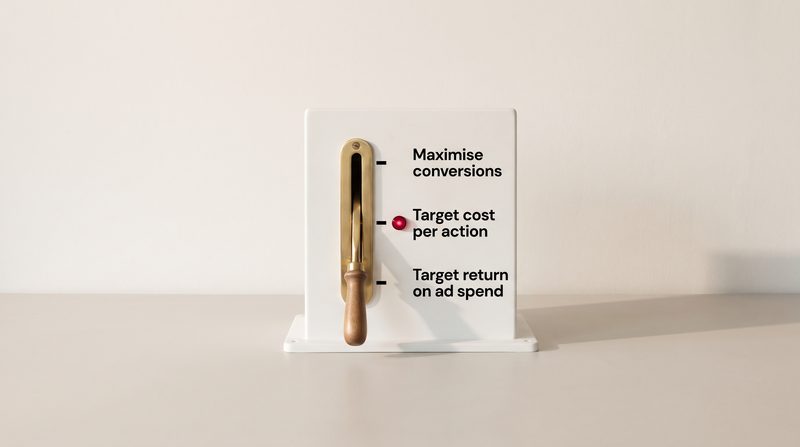
Episode 14 · 8 min 3 s
What are you telling the bidding to do?
Maximise conversions, Target CPA, Maximise conversion value and Target ROAS each ask Google for something different. What each one does with your budget, how targets work, and what changed in 2026.
Short film: Which Smart Bidding strategy should I pick?
Transcript
Jack This is The Vibe Uncut. I'm Jack.
Greta And I'm Greta.
Jack Bid strategies. Here's a sentence someone might say after their first month. "I switched to Maximise conversions, and it spent the whole budget. Every day."
Greta Which is what it's designed to do. Each bid strategy is an instruction, and that one says: get as many conversions as you can, with all of this money.
Jack Start at the top. What is Smart Bidding?
Greta Google's name for four strategies: Maximise conversions, Target CPA, Maximise conversion value and Target ROAS. Google says they use its AI to optimise for conversions or conversion value in every auction. It calls that auction-time bidding.
Jack Using what?
Greta Signals. Google lists things like the device, the location, the time of day, whether the person is on one of your remarketing lists, their browser and language, and the actual search. And Smart Bidding needs conversion tracking. Which brings us back to episode eleven: it bids for whatever you count.
Jack Take them one at a time. Maximise conversions.
Greta As many conversions as possible, with no target. Google says it will try to fully spend your average daily budget, and that if you've been spending much less than your budget, switching to it could increase spend significantly.
Jack Target CPA.
Greta CPA is cost per action, or cost per conversion. You set the average you want to pay, and Google tries to get as many conversions as possible at that average. It's an average, so Google says some conversions will cost more than your target and some less.
Jack Then the value ones.
Greta Maximise conversion value aims for the most total value from your budget. You define the value: Google gives sales revenue or profit margin as examples. And Target ROAS, return on ad spend, aims for the value you want back for each pound. It's a percentage. Google's example: £5 in sales from £1 of spend is a 500 per cent return.
Jack When would a small business use value?
Greta When conversions are worth different amounts. A shop, obviously. Or a clinic where one treatment is worth ten times another. Google says value bidding needs at least two different values across your conversions. And it suggests getting Target CPA working on the right goal first, then reporting values for four weeks, or one to two conversion cycles if that's longer, before switching to Target ROAS.
Jack What about the strategies that aren't Smart Bidding?
Greta Maximise clicks gets as many clicks as the budget allows. Google says it can suit new campaigns without enough conversion data. Manual CPC means you set the most you'll pay for a click yourself. Target impression share bids to show your advert in a position you choose. Google says it can be useful for campaigns on your own brand name. And Enhanced CPC, the old halfway house, stopped being available for Search and Display campaigns in March 2025.
Jack Now targets. How do people get them wrong?
Greta Mostly by being too strict, which costs volume. Google says a Target CPA that's too low may cause you to forgo clicks that could convert, and a Target ROAS that's too high may limit traffic. So for more volume, you loosen the target. For more efficiency, you tighten it.
Jack Where should the first target come from?
Greta Your own history. Google's recommended Target CPA is your average from the last 30 days, adjusted for conversions that arrive late. And when you work it out yourself, Google suggests leaving out the most recent days, as many as your conversions usually take to come in. In its example, conversions take two days, so you leave out the last two.
Jack Can I change a target whenever I like?
Greta Google says changing a target won't put the campaign into a learning status, and the bidding reacts immediately. But it also says that, in rare cases, a large change can bring a conversion cycle or two of volatility, because you're suddenly competing in different auctions. So wait one to two conversion cycles before you judge the result.
Jack Do I need lots of conversions before I start?
Greta Less than people think. Google says Target CPA can start with no conversion history. Target ROAS is stricter: for Search, at least fifteen conversions in the past 30 days.
Jack What changed this year?
Greta Two things. In June, Google renamed two strategies. "Maximise conversions with a target CPA" is now just "Target CPA". "Maximise conversion value with a target ROAS" is now "Target ROAS". Google says the bidding behaviour is exactly the same.
Jack And the second?
Greta On the seventeenth of August, Google changed how target-based campaigns behave when they're limited by budget. Before, such a campaign could beat its target. Now it bids towards the target you set. Google's own example: a campaign with a £10 Target CPA that had been achieving £5 will start delivering closer to ten.
Jack So a campaign that was doing better than its target could get worse?
Greta Google says it may, if you take no action. It added a bid target adjustment tool in July to review targets, and says it won't change your targets or budgets automatically. So if your target was set loosely years ago, now is the time to look at it.
Jack Anything else people don't expect?
Greta Manual bid adjustments. Google says Smart Bidding doesn't use them, so a plus 20 per cent on Saturdays does nothing. Devices are the exception. Minus 100 per cent on a device still stops adverts there. And with Target CPA, a device adjustment changes the target for that device instead. Your ad schedule, the hours your adverts can run, is still respected.
Jack Practical checks, then.
Greta One. Write down the bid strategy of each campaign, and say in one sentence what you're asking it to do. If the answer is "spend everything", check that's what you want.
Jack Two.
Greta If you use a target, compare it with your actual cost per conversion over the last 30 days, leaving out the days your conversions usually take to arrive. If the gap is large, move the target in steps.
Jack Three.
Greta If a target campaign shows limited by budget, open the bid target adjustment tool and decide whether to keep the target, update it, or raise the budget.
Jack Short answer. What are you telling the bidding to do?
Greta Whatever the strategy says. Maximise means spend the budget. A target means aim for this cost or this return. Choose the instruction you actually mean, and make sure it's counting the right conversions.
Jack That's The Vibe Uncut. If you'd like your bid strategies checked against what a customer is worth to you, Vibe Studio Marketing does a free 20-minute review on a shared screen. Book at vibestudiomarketing.com/book.
Greta Next time: why the first weeks look worse.
Sources (17)
- Google Ads Help, "About Smart Bidding" (the four strategies; every auction; signals; needs conversion tracking; June 2026 renaming)
- Google Ads Help, "Your guide to Smart Bidding" (auction-time bidding)
- Google Ads Help, "About Maximise conversions bidding" (spends the full budget)
- Google Ads Help, "About Target CPA bidding" (an average; too low forgoes clicks; recommended target from 30 days; no conversion history needed; device adjustments change the target)
- Google Ads Help, "About Maximise conversion value bidding" (revenue or profit margin)
- Google Ads Help, "About Smart Bidding using value-based bidding for Search and Shopping" (two or more unique values)
- Google Ads Help, "About Target ROAS bidding" (500% example; Target CPA first, four weeks of values; 15 conversions in 30 days; too high limits traffic)
- Google Ads Help, "Determine a bid strategy based on your goals" (Maximise clicks for new campaigns)
- Google Ads Help, "About manual CPC bidding"
- Google Ads Help, "About Target impression share bidding" (brand example)
- Google Ads Help, "About Enhanced CPC (ECPC)" (no longer available for Search and Display campaigns from the week of 24 March 2025)
- Google Ads Help, "Tips on measuring Smart Bidding performance" (volume and efficiency)
- Google Ads Help, "How our bidding algorithms learn" (no learning status after a target change; rare volatility; leave out recent days; evaluate after 1 to 2 cycles)
- Google Ads Developer Blog, "Updates to Smart Bidding Strategy Naming and Organization in Google Ads" (16 June 2026)
- Google Ads Help, "Changes to target-based bid strategies" (17 August 2026; the £10 and £5 example; bid target adjustment tool from 6 July 2026)
- Google Ads Help, "Frequently asked questions about the changes to target-based bid strategies" (may impact campaigns that were overperforming)
- Google Ads Help, "About bid adjustments" (manual adjustments not used by Smart Bidding; ad schedules)
-

Episode 15 · 7 min 18 s
Why the first weeks look worse
New bid strategies, and some changes to them, go through a learning period, and the most recent days usually undercount conversions because some have not come in yet. What "Learning" means, how long Google says to wait, and how to judge a change fairly.
Short film: Why a new Google Ads campaign says "Learning"
Transcript
Jack This is The Vibe Uncut. I'm Jack.
Greta And I'm Greta.
Jack The last episode of our third block, and a moment most advertisers recognise. "We changed the bid strategy last week, and the cost per enquiry has doubled. Should I switch it back?"
Greta Possibly not yet. Two things make the first days after a change look worse than they are. One is learning. The other is conversion delay.
Jack Start with learning. What does the "Learning" label mean?
Greta Google says that after you change a bid strategy, there may be minor performance fluctuations while Google Ads optimises your bids. Its advice is to keep using the account as usual, but expect key metrics to vary.
Jack What sets it off?
Greta Google lists three reasons, which you can see by hovering over the status. A new strategy, created or switched back on. A setting change in the strategy. Or a composition change, where campaigns, ad groups or keywords are added or removed.
Jack And how long does it last?
Greta Google says it can take up to around 50 conversion events, or three conversion cycles, for a bid strategy to calibrate. A conversion cycle is the time it usually takes for a click to turn into a conversion. More conversions, faster learning. And Google says the system keeps learning even after the label disappears.
Jack So a business with few conversions learns slowly.
Greta Yes. If you get 50 conversions a month, that's roughly a month. If you get ten, the "up to three conversion cycles" part matters more.
Jack Now conversion delay. That sounds technical.
Greta It's simple once you see it. Google's standard conversions columns put each conversion on the date of the ad click, not the date the customer converted. So if someone clicks today and books next Tuesday, that booking is added back to today's figures, next Tuesday.
Jack Which means today's figures are incomplete.
Greta Exactly. The spend for recent days is already counted, but some of the conversions haven't happened yet. Google says this can make your cost per conversion look inflated, and your return on ad spend look deflated. Depending on your conversion window, Google says conversions can arrive up to 90 days after the click. The default window is 30 days.
Jack How do I know my own delay?
Greta Google has a segment called days to conversion, under the conversions segment, which shows how long your conversions take. And in the bid strategy report, hovering over the conversions shows the average delay.
Jack So how should I judge results?
Greta Google's guidance is to allow at least one conversion cycle before evaluating. When you set a target from past results, it also says to leave out recent days that are still waiting for conversions. Its example is an account with a two-day conversion delay: look at 28 days of history, and leave out the last two. And when measuring Smart Bidding, Google suggests a time frame of at least two full conversion cycles, and says longer periods can help, such as a month, or at least 50 conversions.
Jack Are there rules of thumb for particular campaigns?
Greta Google gives several. For Performance Max, it says to run new campaigns for at least six weeks, so the system has time to ramp up and gather enough data. For AI Max, to wait at least two weeks after switching it on before making changes. For Demand Gen, not to evaluate until the campaign has at least 50 conversions. And after major changes to bidding or budget, to allow one to two conversion cycles.
Jack What about target changes? You said last episode they don't trigger learning.
Greta They don't. Google says you can change targets as often as you need to, but to judge the results after one to two conversion cycles, once the delayed conversions have come in.
Jack What's the most common mistake?
Greta Stacking changes. A new bid strategy on Monday, a new budget on Wednesday, new adverts on Friday. The new bid strategy starts a fresh learning period, the other changes move the numbers as well, and by the following week nobody can tell which change did what. Google's Performance Max guidance warns that frequent changes to budget, bid strategy or campaign status in a new campaign's first weeks can reset the learning phase.
Jack Is there a fairer way to test a change?
Greta An experiment. Google lets you split a campaign and run the change against the original. It recommends a 50:50 split, and its experiments guidance suggests running for at least four to six weeks, or longer if your conversions take a while to come in. Results are marked with a blue asterisk when they're statistically significant.
Jack And if something genuinely broke? Tracking stopped for three days, say.
Greta Google has a tool for that called data exclusions. It tells Smart Bidding to ignore the period when conversion data was wrong, so the bidding doesn't learn from it. Google says to use it for conversion tracking outages, not frequently, and to apply it as soon as you spot the problem. Its Shopping and Performance Max guidance adds that the tool is meant for issues caught within a week.
Jack Give me an example.
Greta A clinic where enquiries usually become bookings within ten days. It switches to Target CPA. After one week, the cost per booking looks twice as high. But most of last week's bookings haven't happened yet, and the strategy is still learning. Judge it after a month, leaving out the last ten days, and the picture is fairer.
Jack Practical checks, then.
Greta One. Find your conversion delay, using the days to conversion segment. Write it down. That's your conversion cycle.
Jack Two.
Greta Keep a simple log: the date of every change, and what changed. Then judge each change over at least one to two conversion cycles, leaving out the most recent days.
Jack Three.
Greta Make one significant change at a time. If you must compare two approaches, run an experiment rather than switching back and forth.
Jack Short answer. Why do the first weeks look worse?
Greta Because the system is still learning, and the latest conversions haven't arrived yet. Give it a conversion cycle or two, leave out the newest days, and then judge.
Jack That's The Vibe Uncut, and the end of our third block. If you'd like someone to read your results with the delay taken into account, Vibe Studio Marketing does a free 20-minute review on a shared screen. Book at vibestudiomarketing.com/book.
Greta Next time, we start on pictures as the lever: assets are the new keywords.
Sources (16)
- Google Ads Help, "About bid strategy statuses" (fluctuations; keep using the account as usual)
- Google Ads Help, "Duration of the learning period for campaigns and what affects it" (three reasons; around 50 conversion events or 3 conversion cycles; learning continues)
- Google Ads Help, "How our bidding algorithms learn" (conversion cycle; at least one cycle; when setting a target, 28 days excluding the past two for a two-day delay; target changes)
- Google Ads Help, "Understand your conversion tracking data" (conversions reported by the time of the click)
- Google Ads Help, "About conversion lag reporting" (CPA looks inflated, ROAS deflated)
- Google Ads Help, "Find out how long it takes for your customers to convert" (up to 90 days; days to conversion; average delay)
- Google Ads Help, "About conversion windows" (30-day default)
- Google Ads Help, "Tips on measuring Smart Bidding performance" (two full conversion cycles; a month or 50 conversions; one to two cycles after major changes)
- Google Ads Help, "Optimisation tips for Performance Max campaign for all business types" (at least six weeks to ramp up; frequent changes in the initial period can reset learning)
- Google Ads Help, "About reporting in AI Max for Search campaigns" (wait at least two weeks)
- Google Ads Help, "The YouTube performance four" (Demand Gen: at least 50 conversions)
- Google Ads Help, "Set up a custom experiment" (50% split)
- Google Ads Help, "Experiments FAQs" (at least four to six weeks, longer with a long conversion delay)
- Google Ads Help, "Monitor your experiments" (blue asterisk)
- Google Ads Help, "About data exclusions" (tracking outages; not frequently; as soon as possible)
- Google Ads Help, "Effectively use Smart Bidding with Shopping and Performance Max campaigns" (use data exclusions if you catch issues within a week)
Pictures are the lever
Five episodes on what you show and who stays in control: assets, Google’s creative tools, its recommendations, adverts in AI answers, and who owns the account. About eight minutes each.
-

Episode 16 · 8 min 1 s
Assets are the new keywords
In Performance Max and AI Max, the headlines, images and videos you supply help decide where your advert shows and who sees it. What Google does with your assets, what thin asset groups miss, and what to check.
Short film: No video in your Google Ads? Google makes one for you
Transcript
Jack This is The Vibe Uncut. I'm Jack.
Greta And I'm Greta.
Jack Our fourth and last block is about pictures as the lever. And it starts with something owners say all the time. "The keywords are the important bit. The pictures are just decoration."
Greta That used to be closer to true. In a classic Search campaign, the keywords decided which searches you could appear for, and the advert was what people read once you did. In Google's automated campaigns, the advert itself is part of the targeting.
Jack Explain that.
Greta Take Performance Max. You can't give it keywords to target, only keywords to exclude. What you give it is what Google calls an asset group: a collection of headlines, descriptions, images, logos and videos, centred on a theme or an audience. And Google's help page says Performance Max looks at your assets, feeds and landing pages to predict which placements, including search queries, will perform well.
Jack So the pictures help decide which searches I show up for.
Greta Your assets, your product feed if you sell online, and your landing pages. Together, they're how Performance Max works out what you're about. You can add search themes, now up to 50 per asset group, but Google describes those as optional, and additive to what it predicts from your assets.
Jack What about the audience I give it?
Greta Audience signals are suggestions, not limits. Google says Performance Max may show ads to relevant audiences outside your signals.
Jack Where do these adverts actually appear?
Greta Google says any asset in a group can be combined with any other asset from the same group, to make adverts for Search, Maps, Display, YouTube, Gmail, the Discover feed and partner websites. Its AI mixes and matches them.
Jack And if I haven't given it much to mix?
Greta Then some places are harder to reach. Google's channel performance report flags it directly. Its examples: a missing business name for Discover, or a missing square image for Display, preventing your campaigns from serving there. And it flags a missing video too, saying ads can't show effectively in a channel without at least one video asset.
Jack What's the minimum?
Greta For Performance Max: at least three short headlines, and up to fifteen, each up to 30 characters. At least one long headline and two descriptions. A wide landscape image and a square image are required, with up to 20 of each. An upright portrait image is optional. And a square logo and your business name, which now sit once for the whole campaign, in what Google calls brand guidelines.
Jack And video?
Greta Optional. But if you don't add one, Google says one or more videos may be generated automatically. To stop that, and to reach an Ad Strength of excellent, Google says you need to upload your own videos in all three shapes: landscape, square and vertical.
Jack Is the minimum enough?
Greta No. Google's own recommendations go well beyond the minimum: at least fifteen headlines and five descriptions. It calls even those a starting point, and says to strive to provide more. Its best practice is to cover text, images and video in every asset group. And it says Performance Max advertisers who improve their Ad Strength to excellent see, on average, 6 per cent more conversions.
Jack Does this apply to ordinary Search ads too?
Greta In a different way. A responsive search ad takes up to fifteen headlines and four descriptions, and Google tests the combinations to learn which suit which searches. Google says giving it several headlines and descriptions to choose from lets your ad compete in more auctions and match more searches. And AI Max for Search lists asset-based targeting among the ways it matches searches, alongside broad match and keywordless technology.
Jack So keywords are finished?
Greta No. Google says AI Max learns from your keywords, your creatives and your landing pages together. And its keywordless matching works in ad groups that have at least one broad match keyword. Keywords are still one of the inputs. They're just no longer the only one.
Jack What about pinning a headline so it always shows?
Greta Google says pinning isn't recommended for most advertisers, because it reduces the combinations that can be matched. And in AI Max, if both text customisation and final URL expansion are on, Google says pinning won't be respected at all.
Jack Text customisation?
Greta That's Google writing extra text for your adverts from your website, your landing page and your existing ads. It's on by default in Performance Max. Google announced in August 2025 that Performance Max reports now show the assets it created this way, and that you can remove any you don't want.
Jack How do I know which of my assets work?
Greta Google now reports clicks, conversions and cost for each asset. For responsive search ads, the full figures go back to June 2025, and the old best, good and low labels have been retired. But Google warns that ratios worked out for a single asset, such as cost per conversion, are only a rough guide, and says to judge performance at the asset group or campaign level.
Jack So when do I replace one?
Greta Google suggests waiting two to three weeks before replacing low-performing assets. And if you have empty slots, add new assets first, rather than just removing old ones.
Jack Give me an example.
Greta A garden design firm runs one asset group, full of photos of finished patios. It wants to win planting design work too. There's no keyword to add, because Performance Max doesn't take keywords to target, only ones to exclude. A second asset group, with its own planting photos, headlines, landing page and a search theme or two, gives Google something to match those searches with.
Jack Practical checks, then.
Greta One. Open each asset group and count. Fifteen headlines? Images in landscape, square and portrait? Your own video, in all three shapes?
Jack Two.
Greta Open the channel performance report. If it says something is missing and stopping you serving somewhere, that's the first fix.
Jack Three.
Greta Find the text Google created for you in the asset report. Read it, and check you're happy for it to speak for your business.
Jack Short answer. Why are assets the new keywords?
Greta Because in automated campaigns, what you show is part of how Google decides where to show it. Missing assets can stop your adverts showing in some places, and lower your Ad Strength. Give it a full set that says clearly what you do.
Jack That's The Vibe Uncut. If you'd like a second pair of eyes on your asset groups, Vibe Studio Marketing does a free 20-minute review on a shared screen. Book at vibestudiomarketing.com/book.
Greta Next time: Google's free creative tools.
Sources (20)
- Google Ads Help, "How asset groups work" (collection of creatives; any asset combined with any other across Search, Maps, Display, YouTube, Gmail, Discover and partner sites)
- Google Ads Help, "About Performance Max campaigns" (Google AI mixes and matches assets)
- Google Ads Help, "Use search themes with your Performance Max campaign" (queries and placements predicted from assets, feeds and landing pages; search themes optional and additive; up to 50 per asset group)
- Google Ads Help, "Negative keywords in Performance Max campaigns" (keywords to exclude)
- Google Ads Help, "About audience signals for Performance Max campaigns" (may show ads outside your signals)
- Google Ads Help, "About the channel performance report for Performance Max" (missing assets preventing serving; missing video asset)
- Google Ads Help, "Performance Max campaigns specs and format requirements" (headlines, images, logos; auto-generated video; three video shapes for Excellent)
- Google Ads Help, "Best practices for asset groups in Performance Max campaigns" (image counts; all asset types in every group; wait two to three weeks)
- Google Ads Help, "About brand guidelines" (business name and logos at campaign level)
- Google Ads Help, "Optimisation tips for Performance Max campaign for all business types" (minimum recommendations, including at least 15 headlines and five descriptions, are a starting point)
- Google Ads Help, "About Performance Max Ad Strength" (6% more conversions at Excellent)
- Google Ads Help, "About responsive search ads" (15 headlines, 4 descriptions; combinations; several options compete in more auctions; pinning)
- Google Ads Help, "About AI Max for Search campaigns" (broad match, asset-based targeting and keywordless technology)
- Google Ads Help, "How AI Max for Search campaigns works" (learns from keywords, creatives and URLs)
- Google Ads Help, "Frequently asked questions about AI Max for Search campaigns" (keywordless matching with a broad match keyword; pinning not respected)
- Google Ads Help, "About text customisation in Performance Max campaigns" (on by default)
- Google Ads Help, "Unlock more visibility and control in Performance Max" (assets created by text customisation and final URL expansion visible and removable, 7 August 2025)
- Google Ads Help, "About the ad level asset report for responsive search ads" (full statistics from 5 June 2025; performance label column deprecated)
- Google Ads Help, "About asset-level metrics" (ratio metrics per asset are directional only; judge at asset group or campaign level)
- Google Ads API, "Asset requirements" (fill empty slots with new assets first)
-

Episode 17 · 7 min 21 s
Google's free creative tools
Asset Studio and Google's other generative tools make images, text and video for adverts quickly, at no extra cost. What they do well, what Google won't generate, how generated material is marked, and why every piece still needs checking before it runs.
Short film: Google Ads makes AI images for free. Choosing is the work
Transcript
Jack This is The Vibe Uncut. I'm Jack.
Greta And I'm Greta.
Jack Last time, assets. This time, where they can come from. Because I keep hearing two opposite things. "Google's AI will make all my adverts for me now." And, "Never use AI pictures. They look fake."
Greta Neither is quite right. Google's tools are genuinely useful for making variations quickly. And Google itself says everything they make needs checking before it runs.
Jack Start with what they are.
Greta The main one is Asset Studio. Google describes it as your centralised destination in Google Ads for creating, editing, managing and sharing your assets. It's in the Tools menu. Google announced it in May 2025, and by December that year said its newest image and video tools were free for all Google Ads users.
Jack What can it actually do?
Greta From one or two product photos, Google says it can generate scenes with backgrounds, people and the product in use. It can edit your own images from a typed instruction: change the background, add or remove objects, or extend the edges of the picture. It can combine images, and resize them to the shapes different placements need. And there's a video tool, for landscape or vertical video adverts.
Jack Which AI is behind it?
Greta Google's Asset Studio help page names its Nano Banana Pro image model. For video, Google has added Veo, which turns still images into short clips of up to ten seconds. And this year, a model called Gemini Omni, which Google says can turn an image into a full video advert. You choose the shape: vertical, landscape or square.
Jack How much does one request give me?
Greta Google's help page says one prompt in Asset Studio can produce fifteen images in three shapes, nine headlines, nine long headlines, nine descriptions, and three ideas for a video. That all-in-one prompt works in English only for now, though Google says ordinary image prompts can be written in eight languages.
Jack Can anyone use it?
Greta Not every feature, straight away. To type your own prompts for images, Google says the account must be active and have been running ads for at least 30 days, with a history of following its policies. Accounts advertising in sensitive categories can't, and Google's examples are sexual and political. Nor can accounts that have completed election advertising verification. Newer accounts may still be offered images Google generated automatically, to review.
Jack What won't it make?
Greta Google says generated people are limited to adults. Images of children, and the likeness of well-known people, aren't allowed. And Google says its tools are designed to limit branded items and logos you didn't supply yourself. And Google says its AI is designed not to suggest generated images automatically for sensitive categories, such as political or pharmaceutical advertising.
Jack Will people know a picture was made by AI?
Greta Every image generated in Google Ads carries an invisible watermark called SynthID, plus an open-standard marker in the file. In July 2026, Google said ads made with its generative AI tools would get a disclosure automatically, in a section called "How this ad was made", inside My Ad Center, which people reach from the three-dot menu on an ad. You can also mark assets as made with AI yourself. And for campaigns aimed at the European Union, India or New York, where the rules require it, ads with assets marked as made with AI also carry a visible label.
Jack Now the important bit. Where do these tools stop?
Greta At accuracy. In Google's own words, generative AI is an experimental technology, and may display inaccurate or offensive content. It says advertisers should review any generated or suggested assets to make sure they're accurate, not misleading, and comply with its policies and the law.
Jack And if Google made it, it's approved?
Greta No. Google says generated material is held to the same standards and review as anything you upload, and isn't guaranteed to be approved.
Jack What does Google make without being asked?
Greta More than many owners realise. In new Performance Max campaigns, Google says image enhancements are on by default. That includes cropping, adding your text and logo over images, resizing, animation and new backgrounds. If your account uses dynamic images, pictures taken from your landing page are switched on by default too. And if you don't upload a video, Performance Max may generate one.
Jack Where do those videos live?
Greta On a YouTube channel owned by Google. Google says you won't be able to manage that channel, or change the auto-generated videos. Uploading your own video switches them off. In Demand Gen, auto-generated videos are on by default for new campaigns, and you can turn them off in the ad settings.
Jack Give me an example.
Greta A ceramics shop photographs one vase, and asks for five new backgrounds: a kitchen shelf, a sunny window, a plain studio, a garden table, a bookshelf. Four look right. In the fifth, the glaze has come out a different colour from the real vase. That one goes. It's still a quick way to get four new pictures, but someone who knows the product has to look at every one.
Jack Practical checks, then.
Greta One. Open Asset Studio from the Tools menu, and try it on one product you know well. Judge the results the way a customer would.
Jack Two.
Greta In each Performance Max campaign, open the settings and look under asset optimisation. Decide, on purpose, whether image enhancements and landing page images should be on.
Jack Three.
Greta Before anything generated goes live, check it against the real thing: the product, the colours, the claims. If it wouldn't be true in a photograph, it shouldn't be in the advert.
Jack Short answer. Should I use Google's free creative tools?
Greta Yes, for speed and variety. But treat everything they make as a draft. Google says checking it is your job.
Jack That's The Vibe Uncut. If you'd like help deciding what to generate and what to switch off, Vibe Studio Marketing does a free 20-minute review on a shared screen. Book at vibestudiomarketing.com/book.
Greta Next time: should I accept Google's suggestions?
Sources (15)
- Google Ads Help, "About Asset Studio" (centralised destination; Tools menu; scenes from product images; editing; Nano Banana Pro; video tool)
- Google blog, "4 ways Google AI can help brands make creative ads" (Asset Studio announced, 21 May 2025)
- Google Ads Help, "Google Ads highlights of 2025" (newest generative tools free for all Google Ads users)
- Google Ads Help, "How to create image, text and video assets with a prompt in Asset Studio" (15 images, nine of each text type, three video concepts; English only)
- Google, "Resonate with the YouTube audiences that matter most to you, with Veo in Google Ads" (videos up to 10 seconds)
- Google, "Create on-brand video ads with Gemini Omni" (an image into a full video ad; choose vertical, horizontal or square)
- Google Ads Help, "About generated images in Google Ads" (eligibility; prompts in eight languages; adults only; no children or prominent likeness; branded items limited; sensitive verticals; SynthID; review before use; same policy review)
- Google Ads Help, "Use the image editor to make bulk edits with Google AI" (experimental technology; may be inaccurate or offensive)
- Google blog, "Google introduces new AI labels for Ads" (How this ad was made disclosure, 9 July 2026)
- Google Ads Help, "Use AI content label settings and disclosures" (marking assets; visible labels for the EU, India and New York)
- Google Ads Help, "About Performance Max automatically enhanced images" (image enhancements on by default; Asset optimisation settings)
- Google Ads Help, "About Performance Max image enhancements and landing page images" (landing page images on by default for accounts using dynamic images)
- Google Ads Help, "About video assets for Performance Max campaigns" (videos may be auto-generated if none added)
- Google Ads Help, "About auto-generated video ads" (Google-owned YouTube channel; can't edit; uploading your own switches them off)
- Google Ads Help, "About creative enhancements and generative AI tools in Demand Gen" (auto-generated videos on by default)
-
Episode 18 · 7 min 26 s
Should I accept Google's suggestions?
Google Ads recommendations, the optimisation score, auto-applied recommendations and Ask Advisor, Google's assistant inside Google Ads. What the score measures and what it doesn't, what can change without you, and how to decide what to apply.
Short film: Google Ads recommendations: apply, test, or dismiss
Transcript
Jack This is The Vibe Uncut. I'm Jack.
Greta And I'm Greta.
Jack Last time, Google's creative tools. This time, Google's advice. Because owners log in, see a number, and worry. "My optimisation score is 62 per cent. Am I failing?"
Greta No. And the first thing to know is what that number is. Google defines the optimisation score as an estimate of how well your Google Ads account is set to perform. In other words, an estimate of the setup, not a report of your results.
Jack How is it worked out?
Greta In real time, Google says, from your account's statistics, settings and status, and from the recommendations available to you and their estimated impact. It runs from zero to 100 per cent. Each recommendation shows a score uplift: the points you'd gain by applying it.
Jack So 100 per cent means I've done everything Google suggested.
Greta Or dismissed it. Google's own help page says your account can reach a score of 100 per cent by applying or dismissing all recommendations. A recommendation you've considered and dismissed counts, just like one you've applied.
Jack That's surprising.
Greta It's useful. It means the score rewards attention, not obedience. Google also says the score and the recommendations can change for many reasons, from your own settings to trends in the ads ecosystem.
Jack Where do the recommendations come from?
Greta Google says it checks your account's performance history, your campaign settings and trends across Google. They come in groups: ads and assets, automated campaigns, bidding and budgets, keywords and targeting, repairs, measurement, and other. And they can change daily, or even several times a day.
Jack Are they good advice?
Greta Some are very good. Repairs and measurement often point to something broken or missing. Others are about spending more or reaching further. "Raise your budgets", for example, appears when Google estimates you missed 5 per cent or more of your potential traffic last week. Others suggest adding broad match keywords, switching to Maximise conversions, turning on AI Max, or showing your ads on search partners. Each might suit your goal, or not. Google's own help page says: you know your products and goals best. If a recommendation doesn't seem relevant to your campaign, or appropriate for your goals, you can dismiss it.
Jack Does Google say what raising the score does for results?
Greta Its UK page says advertisers who used recommendations to raise their score by ten points saw a median 14 per cent increase in conversions. It doesn't give the date or the method, and it says actual results will vary.
Jack Now, auto-apply. What is it?
Greta A setting that lets Google apply chosen types of recommendation for you, regularly, when it judges them relevant. It's on the Recommendations page, under Auto-apply at the top right. You tick the types you allow. It's set for the whole account, not campaign by campaign.
Jack Which types?
Greta Quite a few. They include adding keywords, broad match keywords and audiences, changing bid strategies or adjusting targets, removing redundant keywords, expanding to search partners and Display Expansion, and upgrading your conversion tracking. Google says auto-applying won't increase your budget.
Jack Will Google tell me first?
Greta Not by email beforehand. But the Recommendations page shows a queue of what's due to be applied on a given day, so you can review it first. Afterwards, Google sends a weekly summary email if you turn on campaign maintenance notifications, and the history tab shows what's been applied. Smart campaigns are different. There, Google says ad suggestions marked to auto-apply start running after seven days if you take no action, and it emails you to review them.
Jack And if something's applied that I didn't want?
Greta Google says you can undo an applied recommendation on the Change history page within 30 days. And for a bid or budget recommendation, Google offers to save it as an experiment, so you can measure its impact against your original setup before applying it to the whole campaign.
Jack Why does the score matter to agencies?
Greta Google Partners. To hold Partner status, Google requires the agency's registered manager account to have an optimisation score of at least 70 per cent. In the same sentence, Google says partners are in control, and can apply or dismiss recommendations based on their own assessment and their clients' goals. It also says partners aren't required to adopt all recommendations or reach 100 per cent. So a good score can come from careful dismissing as well as applying.
Jack And the AI assistant?
Greta Google's assistant inside Google Ads launched as Ads Advisor in late 2025, and is now called Ask Advisor. It's in beta for English-language accounts. You can ask it about performance, policy or billing, and it can suggest changes. Google says it will ask for your approval before taking action, and that it's your responsibility to check that the suggestions you accept are accurate and relevant.
Jack Give me an example.
Greta A physiotherapy clinic at 62 per cent. The recommendations: raise the budget, add broad match keywords, use search partners, and fix a conversion action whose conversion rate has suddenly dropped. The owner fixes the tracking first. Then tests the broad match keywords as an experiment. And dismisses the budget rise, because the diary is already full on weekdays. The score goes up, and every change has a reason.
Jack Practical checks, then.
Greta One. Open Auto-apply on the Recommendations page. Read which types are ticked, and untick anything you wouldn't approve if someone asked you first.
Jack Two.
Greta Read each recommendation against your goal. Apply it, test it as an experiment where Google offers that, or dismiss it. All three are decisions.
Jack Three.
Greta Once a month, open the change history and the auto-apply history tab. Know what changed in your account, and who or what changed it.
Jack Short answer. Should I accept Google's suggestions?
Greta Read them all. Accept the ones that serve your goal, and dismiss the rest. The score is a to-do list, not a grade.
Jack That's The Vibe Uncut. If you'd like a hand going through your recommendations, Vibe Studio Marketing does a free 20-minute review on a shared screen. Book at vibestudiomarketing.com/book.
Greta Next time: ads inside the AI answer.
Sources (17)
- Google Ads Help, "About optimisation score" (an estimate; 0 to 100%; how it is calculated; applying or dismissing; ecosystem trends)
- Google Ads Help, "About recommendations" (performance history, campaign settings and trends across Google)
- Google Ads Help, "Types of recommendations" (categories; raise your budgets at 5% or more missed traffic; broad match; Maximise conversions; AI Max; search partners)
- Google Ads API, "Optimization score and recommendations" (can change daily or several times a day)
- Google Ads Help, "Apply or dismiss recommendations" (you know your products and goals best; you can dismiss; save a bid or budget recommendation as an experiment; undo within 30 days)
- Google, "Google Ads Campaign Optimisation Scores & Recommendations" (UK page; median 14% more conversions for a 10-point rise; results vary)
- Google Ads Help, "About applying recommendations automatically" (types that can be auto-applied; account level; queue of what will run; won't increase your budget)
- Google Ads Help, "Manage auto-apply recommendations" (where the setting is; history tab; weekly summary emails with campaign maintenance notifications)
- Google Ads Help, "About new broad match experiments" (Apply as an experiment from the Recommendations page)
- Google Ads Help, "About ad suggestions for Smart campaigns" (auto-apply after seven days; email alert)
- Google Ads Help, "How to become a Google Partner or Premier Partner" (70% optimisation score; apply or dismiss based on clients' goals)
- Google Ads Help, "Google Partners FAQs" (not required to adopt all recommendations or reach 100%)
- Google blog, "Google's AI advisors: agentic tools to drive impact and insights" (Ads Advisor, 12 November 2025)
- Google blog, "Meet Ask Advisor, your new AI-powered collaborator" (beta for English-language accounts, 20 May 2026)
- Google, "Ask Advisor" (formerly known as Ads Advisor)
- Google, "Ask Advisor, your new AI-powered collaborator" (seeks your approval before making changes)
- Google Ads Help, "Ask Advisor in Google Ads (beta)" (approval before changes; your responsibility to check suggestions)
-
Episode 19 · 7 min 36 s
Ads inside the AI answer
Google can place adverts within, above or below its AI Overviews, and is testing adverts in AI Mode. What applies in the UK today, which campaigns are eligible, what you can and can't control, and what the reports show.
Short film: What are adverts in AI Mode? · Read: What is AI Max for Search, and should a small business switch it on?
Transcript
Jack This is The Vibe Uncut. I'm Jack.
Greta And I'm Greta.
Jack Last time, Google's suggestions. This time, Google's answers. Because I keep reading the same headline. "Google now puts adverts inside its AI answers." Are mine in there?
Greta In the UK, not inside them. Not yet. But your ads can appear right next to them. Let's separate the two.
Jack Start with the AI answers themselves.
Greta There are two. AI Overviews are the AI-written summaries Google shows in some search results. AI Mode is a separate tab, for longer questions and follow-ups. Both are available in the UK. AI Mode launched here in July 2025.
Jack And the adverts?
Greta Google began showing ads inside AI Overviews on mobile in the US in October 2024, then on desktop in May 2025, and later that year in more countries. At the time of recording, in October 2026, Google's help page says ads in AI Overviews are available in English in twelve countries: Australia, Canada, India, Indonesia, Kenya, Malaysia, New Zealand, Nigeria, Pakistan, the Philippines, Singapore and the US. The United Kingdom isn't on that list.
Jack So what happens in the UK?
Greta The same help page says ads are eligible to show above or below the AI Overview in all of the 200 and more markets where AI Overviews are available. That includes the UK. So a UK search can show an AI Overview with ordinary ads above it or below it.
Jack And AI Mode?
Greta In December 2025, Google said it was testing ads in AI Mode in the US. In May 2026, it announced new advert formats for AI Mode, still described as tests, and still labelled sponsored. That announcement didn't say which countries they'd run in. And at the time of recording, Google hadn't said that ads in AI Mode are running in the UK.
Jack So this is mainly about what's coming.
Greta Partly. But Google has already written the rules for ads in AI Overviews, and they're worth knowing now. It hasn't published the same detail for AI Mode yet.
Jack Go on, then. Which campaigns qualify?
Greta For ads inside AI Overviews, Google names text and Shopping ads from existing Search, Shopping and Performance Max campaigns. It also says it needs broad match, AI Max, Performance Max, Shopping or Dynamic Search Ads to match ads to these answers. In May 2025, Google said Performance Max, Shopping, and Search campaigns using broad match, including AI Max for Search, would be eligible for both AI Overviews and AI Mode. And Scott Sinclair, Google's head of Search Plus in the UK, wrote that turning on AI Max will be one of the best ways for your ads to show up in AI Mode and AI Overviews.
Jack Can I choose not to appear?
Greta No. Google's help page says you can't opt out of serving ads in AI Overviews. And you can't target the AI Overview placement directly either. There's no separate setting.
Jack How does Google decide which ad goes there?
Greta Google says both the search and the content of the AI Overview are considered, and that ads serve through the existing auction. AI Overviews tend to appear for questions without one right answer, and ads can appear with them when certain conditions are met, including when Google detects commercial intent. Its own example: someone searches, "why is my pool green, and how do I clean it?" The AI Overview gives suggestions, and Google can show ads for pool vacuum cleaners.
Jack Are some businesses left out?
Greta Yes. Google says it doesn't show ads in AI Overviews for sensitive categories, and names adult, alcohol, gambling, finance, healthcare and politics among them.
Jack How would I know if my ad appeared in one?
Greta Not from the reports alone. Google says ads in AI Overviews are reported as top ads, and that Google Ads currently doesn't offer separate reporting for them. It says it's still thinking about what reporting should look like. For ads in AI Mode, Google's pages don't yet describe any separate reporting. Search Console now shows how websites appear in AI Overviews and AI Mode, but that covers unpaid results, not ads.
Jack What does Google say about clicks?
Greta A few things, and each is Google's own claim. It says its internal data shows people find the ads within AI Overviews helpful. It says AI Overviews have driven over 10 per cent more use of Google for the kinds of searches that show them, in the US and India. It says that in the US, the average AI Mode search is three times the length of a traditional search. And for websites, rather than ads, it says clicks from results pages with AI Overviews are higher quality, meaning people are more likely to spend more time on the site.
Jack Give me an example.
Greta A bike shop in Bristol. Someone searches, "how do I stop my bike chain rusting in winter?" An AI Overview appears with the steps. Today, in the UK, the shop's advert for chain oil can show above or below that summary, not inside it. If ads inside AI Overviews do reach the UK, the shop won't need to opt in. Its ads can be eligible if its campaigns use broad match, AI Max, Performance Max, Shopping or Dynamic Search Ads.
Jack Practical checks, then.
Greta One. Look in your search terms report for long, question-shaped searches. They show you how people are already asking.
Jack Two.
Greta Make sure your landing pages answer the questions behind those searches clearly. Google's own advice for these ads includes investing in high-quality creative on your website.
Jack Three.
Greta Use the top versus other segment to see how often your ads appear among the top ads. It won't separate out AI Overviews, but it's the closest view Google gives you.
Jack Short answer. Are my ads inside the AI answer?
Greta In the UK, not yet. They can show above or below it. Under Google's current rules, there's no switch to flip and no separate report, though Google says it's still working out what reporting should look like. The groundwork is the same as ever: clear adverts, clear pages, and campaigns set up to match the questions people ask.
Jack That's The Vibe Uncut. If you'd like to see which searches your ads are really appearing for, Vibe Studio Marketing does a free 20-minute review on a shared screen. Book at vibestudiomarketing.com/book.
Greta Next time, the last episode of the series: whose account is it anyway?
Sources (14)
- Google Ads Help, "About ads and AI Overviews" (twelve countries, English; above or below in 200+ markets; eligible campaigns; broad match or keywordless targeting required; no opt-out; no direct targeting; query and AI Overview content; commercial intent; pool example; sensitive categories; reported as top ads; no segmented reporting; people find the ads helpful; high-quality creative on your website)
- Google Search Help, "Find information in faster & easier ways with AI Overviews in Google Search" (available in the United Kingdom)
- Google Search Help, "Get AI-powered responses with AI Mode in Google Search" (available in the United Kingdom)
- Google blog, "Google Lens and AI Overviews: New ways for marketers to reach customers" (ads in AI Overviews on mobile in the US, 3 October 2024)
- Google blog, "More opportunities for your business on Google Search" (desktop in the US; starting to test ads in AI Mode; broad match and AI Max eligible for AI Overviews and AI Mode, 21 May 2025)
- Google Ads Help, "Google Ads highlights of 2025" (expanded to desktop and more countries; testing ads in AI Mode in the US, 8 December 2025)
- Google blog, "Google Search: Introducing AI Mode in the UK" (28 July 2025)
- Google blog, "A new generation of ads for the AI era of Search" (new AI Mode formats in testing; labelled Sponsored, 20 May 2026)
- Google, Think with Google UK, "AI Mode has landed in the U.K.: What this means for marketers" (Scott Sinclair, Head of Search+ in the U.K.; turning on AI Max, 30 September 2025)
- Google blog, "AI in Search: Going beyond information to intelligence" (over 10% increase in usage, 20 May 2025)
- Google blog, "How AI Mode is changing the way people search in the U.S." (triple the length, 19 May 2026)
- Google Search Central, "AI features and your website" (higher quality clicks)
- Search Console Help, "Generative AI performance report (Search)" (how sites perform in AI Overviews and AI Mode)
- Google Ads Help, "Use segments in your tables" (Top vs. other)
-

Episode 20 · 7 min 40 s
Whose account is it anyway?
Your Google Ads account should belong to your business, with any agency working through access you can remove. Access levels, manager accounts and ownership, who pays, what an agency must tell you, and what to check today.
Short film: What should I ask a Google Ads agency?
Transcript
Jack This is The Vibe Uncut. I'm Jack.
Greta And I'm Greta.
Jack Our last episode. And it's about a question owners often only ask when something changes: a new agency, a staff member leaving, a disagreement. "Hang on. Whose account is this?"
Greta It should be yours. Your business's account, with your own people on it as administrators. Anyone who helps you, an agency included, works through access you've given them, and can take away.
Jack Start with access. What are the levels?
Greta Google Ads has five: email only, read only, standard, admin and billing. Read only can see campaigns and billing, and run reports, but can't edit campaigns or billing details. Standard can edit campaigns and billing information. Billing users can manage billing, but can't see campaigns. And only admins can give people access, change their access level, accept or remove a manager account, and add or remove links to other Google products.
Jack So admin is the one that matters.
Greta Admin is control. And Google has a specific warning: if your account has only one administrator, you may lose access to your tags if that person becomes unavailable. It recommends more than one.
Jack Now agencies. How do they usually get in?
Greta Through a manager account. Google is clear that a manager account isn't an upgrade of an ordinary account. It's a separate account, used by agencies among others, to look after many accounts. The manager account sends a link request, and an admin on your account accepts it.
Jack Does that hand over my account?
Greta No. Google says the client account remains unchanged when it's linked, and its account history remains intact. Up to five manager accounts can manage one account directly.
Jack I've heard the word ownership.
Greta That's the important detail. A manager account can have ownership of a client account, and a client account can only have one owner. If a manager account creates a new account, that manager account owns it. If you link an existing account, ownership is only switched on if an admin on your account turns it on.
Jack What does ownership give the agency?
Greta Full admin access, including adding and removing users. But Google says ownership does not take data ownership or administrative rights away from the client account. And the client can remove that ownership by unlinking.
Jack Can I unlink at any time?
Greta Google says users with admin access can end the relationship with a manager account at any time. It's under Admin, then Access and security, then Managers. And after unlinking, Google says the account won't lose its campaign history, or access to any Google Ads features.
Jack Anything that breaks when you unlink?
Greta A few things, and they're worth planning for. Ad groups that target remarketing lists shared by the manager account stop running, and so do campaigns that exclude those lists. If conversions are counted by a tag that belongs to the manager account, it stops recording conversions from new clicks. And if you pay by monthly invoice through that manager account, Google says the account will stop serving, so you need to change the billing setup first.
Jack Let's talk about who pays.
Greta Every account is attached to a payments profile. Google says choosing the payments profile is choosing who will be financially responsible for the account. If it's your agency's profile, and you want it to be yours, Google calls that a billing transfer, or "Change who pays". Unless you're on monthly invoicing, Google says you'll need to complete advertiser verification again, even if you were verified before. If you're invoiced through the agency's manager account, the transfer is started from that manager account.
Jack What does Google say an agency must tell me?
Greta Google's third-party policy covers anyone who buys or manages Google advertising for customers. If they charge a management fee, they must tell you. They must give you your Google Ads customer ID if you ask. They must use a separate account for each advertiser. And they mustn't make false or misleading claims, such as guaranteeing a top spot on Google. Google's guide for advertisers adds that you have a right to know, at a minimum, your clicks, impressions and cost.
Jack Why does owning it matter, if everyone gets on?
Greta Because working relationships end, people move on, and sometimes it isn't anyone's choice. Since June 2025, Google's policy says that if a manager account breaks the third-party policy, client accounts linked to it may be paused, and can serve again only once they're unlinked. If someone at your business has admin access, you can unlink the account yourself, at any time.
Jack And the other Google accounts around it?
Greta Same principle. Google defines a Google Analytics account as a collection of properties whose data is owned by a single legal entity, and suggests one account per company. A Business Profile can have several owners, but only one primary owner, and only the primary owner can transfer that. If any of these were set up for you, check whose name is on them.
Jack Give me an example.
Greta A dental practice wants to review its advertising. It turns out nobody at the practice has a login. The account was created from the agency's manager account. It has no users of its own, so everyone reaches it through the agency's manager account. The fix is simple while everyone's on good terms: the agency invites the practice owner and the practice manager as admins. The agency keeps working through its manager link. And the practice can see everything, and decide for itself.
Jack Practical checks, then.
Greta One. In Google Ads, open Admin, then Access and security. Is there at least one person from your business with admin access? Ideally two. And does everyone listed still work with you?
Jack Two.
Greta Open the Managers tab. Which manager accounts are linked, and does one of them have ownership? Make sure you know whose each one is.
Jack Three.
Greta Check billing. Whose payments profile pays for the account? Then do the same check in Google Analytics and your Business Profile.
Jack Short answer. Whose account is it?
Greta Yours. Give anyone who helps you the access they need, through links you can remove. Keep admin, keep the history, and know who pays.
Jack That's The Vibe Uncut, the end of our fourth block, and of this series. Thank you for listening. If you'd like to check who can see and change your account, Vibe Studio Marketing does a free 20-minute review on a shared screen. Book at vibestudiomarketing.com/book.
Greta Or start with the free one-minute tracking check, at vibestudiomarketing.com/check. All 20 episodes stay on the website, with their transcripts and sources.
Sources (19)
- Google Ads Help, "About access levels in your Google Ads account" (the access levels; what read-only, standard, billing and admin users can do; one administrator warning)
- Google Ads Help, "Manager Accounts (MCC): About Google Ads manager accounts" (not an upgrade; client admins can end the relationship at any time)
- Google Ads API, "Link manager accounts" (initiated by the manager account, accepted by the client account)
- Google Ads Help, "Manager Accounts (MCC): About linking accounts to your manager account" (client account unchanged; history intact; up to 5 managers)
- Google Ads Help, "Create new Google Ads accounts from your manager accounts" (a new account has no users of its own until invited)
- Google Ads Help, "Manager accounts (MCC): About ownership of client accounts" (one owner; creating or enabling ownership; client keeps data and admin rights; removing ownership by unlinking)
- Google Ads Help, "Manager Accounts: Unlink accounts from your manager account" (Admin, Access and security, Managers)
- Google Ads Help, "About unlinking accounts from your manager account" (history kept; remarketing lists targeted or excluded, conversion tag and monthly invoicing)
- Google Ads Help, "About payments profiles" (set up automatically with every account)
- Google Ads Help, "Manage your Google Ads account billing setup from your manager account" (who will be financially responsible)
- Google Ads Help, "Change the payments profile associated with your Ads account (postpay or prepay)" (Change who pays; advertiser verification again)
- Google Ads Help, "Make a billing transfer (for monthly invoicing accounts)" (started through the current paying manager)
- Advertising Policies Help, "Google third-party policy" (management fees; customer IDs; separate accounts; no misleading claims)
- Advertising Policies Help, "Advertiser guide: Working with third parties" (right to know clicks, impressions and cost)
- Advertising Policies Help, "Update to Google third-party policy (June 2025)" (linked accounts may be paused)
- Advertising Policies Help, "About Google Ads account pausing" (serve again after unlinking)
- Google Analytics Help, "[GA4] Google Analytics account structure" (data owned by a single legal entity; one account per company)
- Business Profile Help, "Manage your Business Profile owners and managers" (one primary owner)
- Business Profile Help, "Transfer primary ownership of a Business Profile" (only the primary owner can transfer it)
Want your own account looked at?
Book a free 20-minute call and we will look at your Google Ads account on a shared screen. You keep the findings.
Or start with the free tracking check, which shows in a minute whether Google is counting your enquiries and sales.
Last updated 9 October 2026.